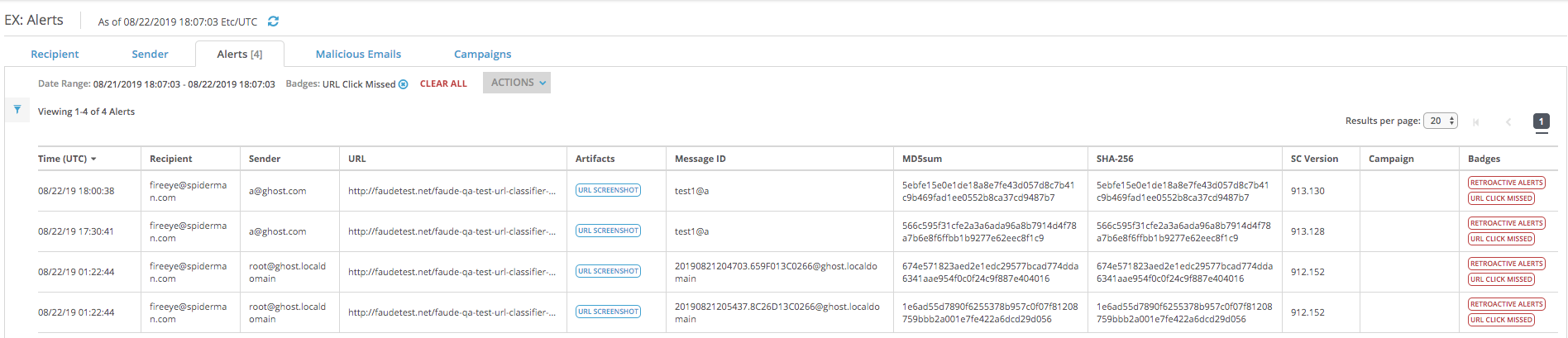
The eAlerts > Alerts page lists the alerts and the associated URL click badges.
To view URL Click alert details:
Click the eAlerts tab.
The eAlerts > Alerts page lists the alerts and the associated URL click badges.
The following example displays missed URL click alerts.
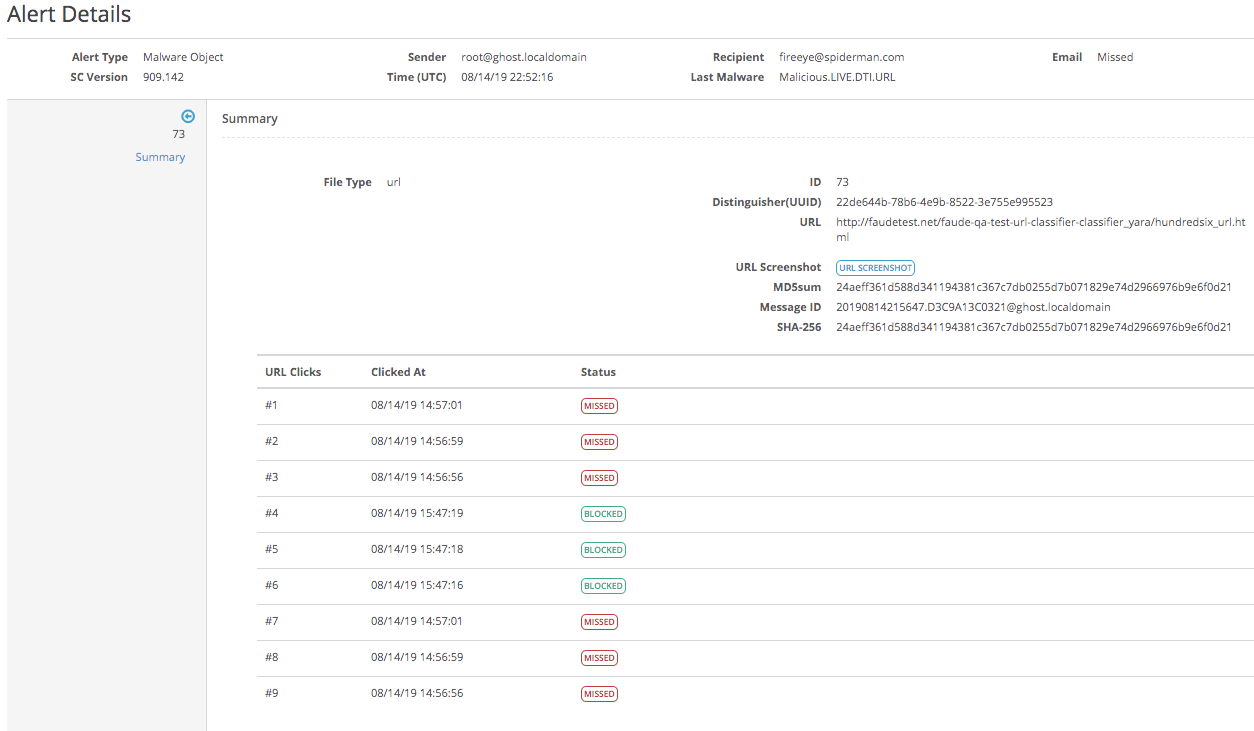
Click on an alert to display a summary of the alert details along with a table itemizing the URL clicks, the URL click time stamp, and the missed or blocked URL click status.
Note
When an alert is associated with missed and blocked clicks, the missed click takes precedence and the URL Click Missed badge is displayed under the Badge column for the alert.