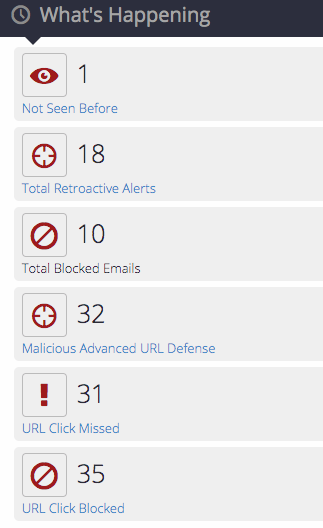
In the Web UI, go to the What's Happening panel on the Email Security - Server Dashboard. The panel displays the URL Click Reporting count for missed and blocked alerts for the Day, Week, or Month.
Note
By default, the URL count is for the last 24 hours.
The URL count displayed on the Email Security - Server Dashboard is slightly different from that displayed on the eAlerts page, because the source for retrieval is different. Alerts are directly retrieved from the database, while the count for the dashboard is queried from FAUDE. Since FAUDE is queried retroactively every 5 minutes, there is a delay before the Dashboard page and the eAlerts page match.
Click URL Click Missed or URL Click Blocked
The eAlerts > Alerts page lists URL click badges.
The following example shows URL missed click alerts for the past 24 hours.
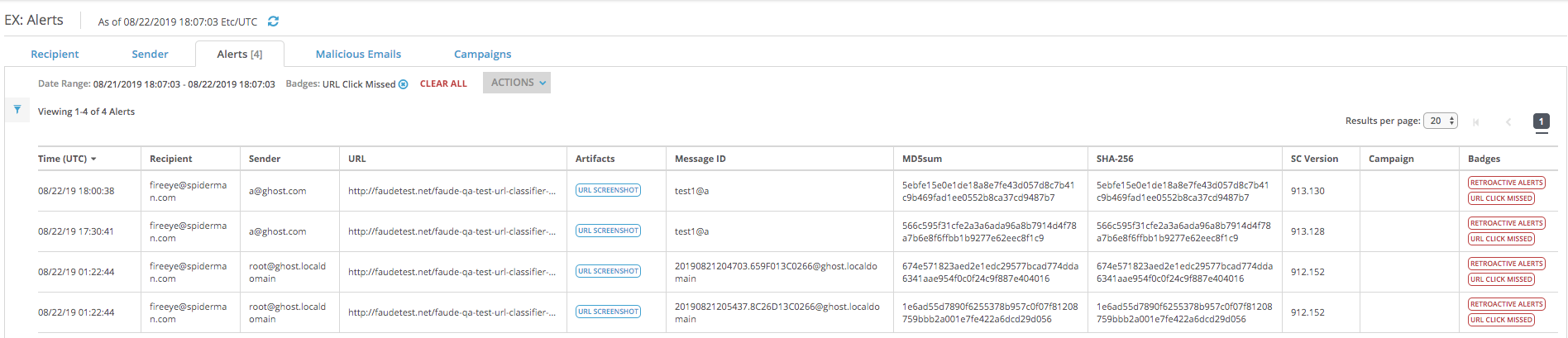
Viewing URL click reporting using the Web UI
- Published on Aug 24, 2026
- 1 minute(s) read
Was this article helpful?