When you select a single AMSI alert on the Alerts page, the details of the alert are shown on the Hosts page of the Endpoint Security Web UI.
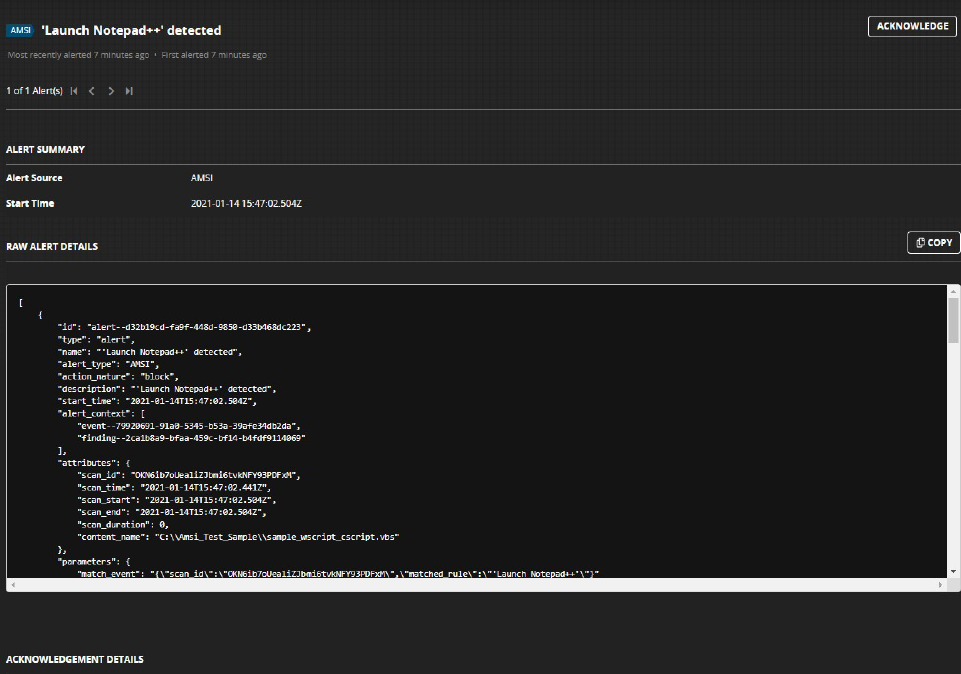
The Endpoint Security server provides a raw view of the alert details in JSON format. Most of the information available in the AMSI home page is reformatted to generalize the alerts data coming from various modules. The following table shows notable alert fields that the AMSI module generates.
Alert Fields | Description |
|---|---|
| Time when the script was executed. |
| The script name if the file is on the disk. This field can also be used to indicate when a |
| Contains the rule name and additional metadata, such as |
| Version of the intel package that includes the AMSI rules. |
| AMSI rules package version. |
| Suspicious data scanned by AMSI. |
| Command-line arguments passed to the source process. |
| Scan metadata. |
| User account that the scripting engine targeted. |