Configure these settings if your organization uses a proxy server to connect to the Internet, for TSME to download the product updates.
If your organization uses proxy servers for connecting to the Internet, you can select the Proxy settings option.
Click → → .
The Edit AutoUpdate Repository List dialog box appears.
Click the Proxy settings tab.
Proxy settings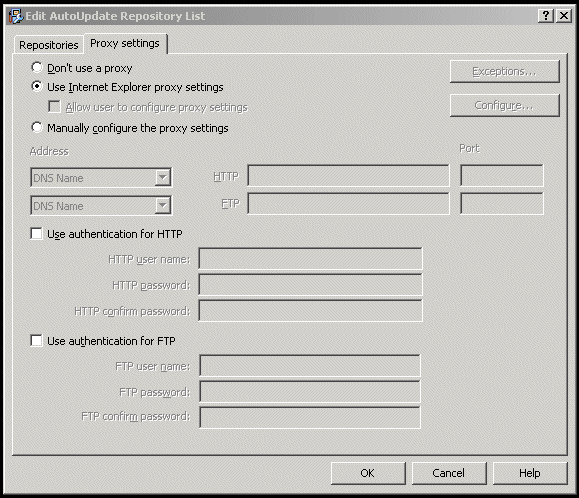
Select the Use Internet Explorer proxy settings or Manually configure the proxy settings option as required.
Type the IP address and port number of the HTTP or FTP server.
You can use the following options:
Use Authentication — To enable user authentication to access the proxy server.
Username — To specify a user name for authentication to access the proxy server.
Password — To specify a password.
Confirm Password — To reconfirm the specified password.
Exceptions — To bypass a proxy server for specific domains. Click Exceptions, then select Specify Exceptions and type the domains that need to be bypassed.
Click OK.