Configure Trellix Security for Microsoft Exchange Access Control
Print
Copy page Copy as Markdown for LLMs View as Markdown View the page as plain text
Open in ChatGPT Ask ChatGPT about this page Open in Claude Ask Claude about this page Prev Next
Allow or deny access to the TSME user interface for specific users or groups.
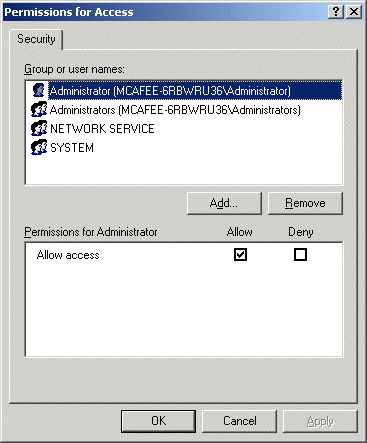
From the Start menu, click → . The Permissions for Access dialog box appears.
From Group or user names , select the user you want to allow or deny access to the TSME user interface.
Click OK .
Was this article helpful?
Related articles