SiteList specifies the location from where automatic updates (including DAT file and scanning engines) are downloaded.
Access SiteList Editor
From the Start menu, click → .
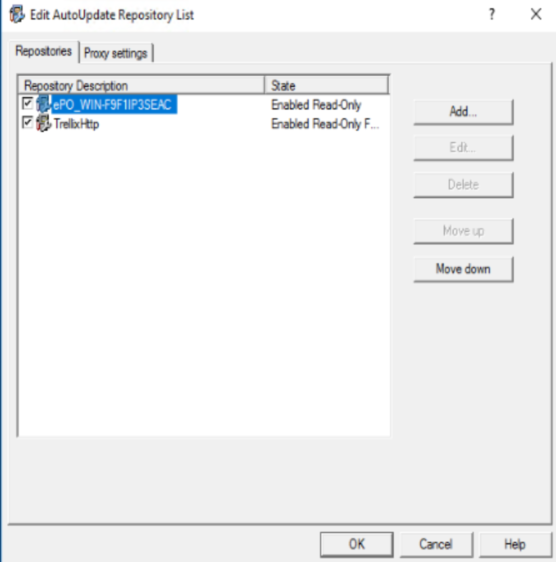 |
You can use these tabs:
Repositories — To configure repository settings from where TSME can download automatic updates.
By default, TSME uses a sitelist that points to a Trellix site for automatic updates, but you can also create alternative sitelists that point to a different location. For example, you might have copied the automatic updates to a local repository and created a sitelist that points your TSME systems to that local repository.
Proxy settings — To configure the proxy server settings, so that TSME can connect to the Internet using this server, to download automatic updates.
Note
Settings applied in the SiteList Editor are saved in the SiteList.xml file under C:\ProgramData\McAfee\Common FrameWork\ directory.