Prepare EDRF to detect threats based on security intelligence and certain behaviors and configure based on your threat environment. For a quick overview see the following workflow.
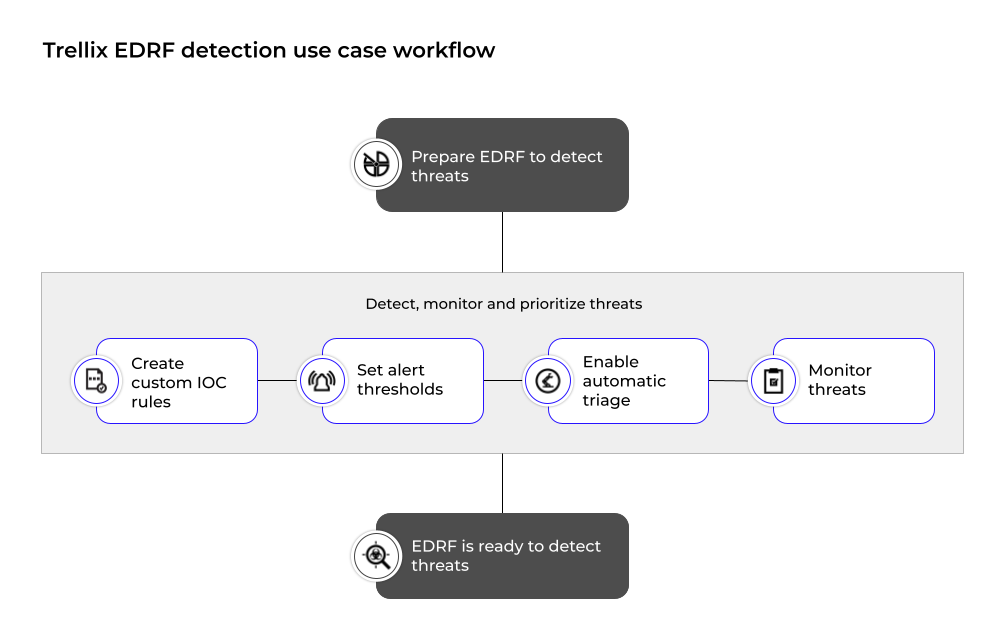
Create custom IOC rules. EDRF automatically updates indicators of compromise (IOCs) along with other content update packages to help protect your environment. In addition to automatic IOC updates, you can create custom IOC rules that are tailored specifically to your organisation's threat landscape.
Set alert thresholds to limit alert rates for different alert types.
Configure automatic triage settings to control the number of automatic triage collections triggered by alerts.
Monitor malicious authentication patterns with Logon Tracker.
Monitor and evaluate events to detect malicious processes with Process Tracker.
Use the Monitoring dashboard, which ranks threats by severity and can be sorted by time. You can export a .csv file of the threat that contains data to allow you compare the threat with other threats and start the analysis stage. For more information, see the Investigation use case.