Before enabling Process Tracker on endpoint agents, review Configuring the Process Tracker agent policy.
Documentation Index
Fetch the complete documentation index at: https://docs-dr.trellix.com/llms.txt
Use this file to discover all available pages before exploring further.
The new docs.trellix.com offers a modernized UI and AI-powered features like conversational searches. Content is currently available only in English. Other languages will be available in mid-October 2026. We hope you enjoy the new experience.
Before enabling Process Tracker on endpoint agents, review Configuring the Process Tracker agent policy.
To enable Process Tracker on a host set, complete the following steps:
Log in to the Endpoint Security Server Web UI as an administrator.
From the Admin tab, select Policies.
On the Policies page, click the appropriate policy.
Select Process Tracker in the Configurations list.
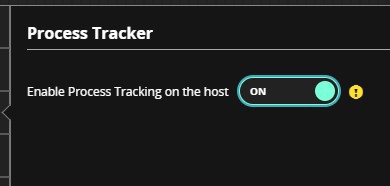
In the Process Tracker details panel, move the Process Tracker toggle to On, and click Save.
The Process Tracker module will be enabled the next time the configuration is updated on the agent.