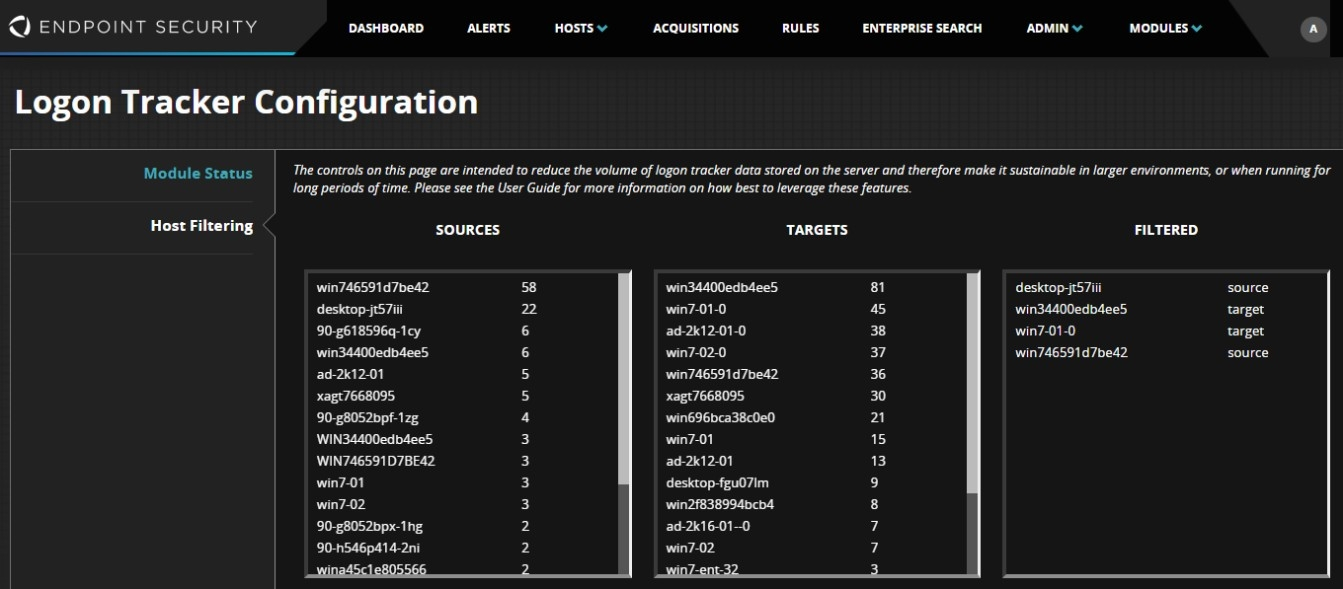
One technique to reduce the volume of events in the database is to identify systems responsible for the highest volume of events. The top section of the Host Filtering tab provides three columns to achieve this:
Sources: Systems where the highest volume of logon activity originates from
Targets: Systems where the highest volume of logon activity is destined for (often domain controllers)
Filtered: Source or target systems that were purged from the database, and are now being filtered
Click a source or target system will move the system to the Filtered column. Likewise, clicking on systems in the Filtered column will remove them from filtering. Click Save to remove existing events for the filtered systems and drop all future events. Note that events are only removed where the source system is the logon source and the target system is the logon target.
The figure below shows filtering enabled for two source systems and two target systems.