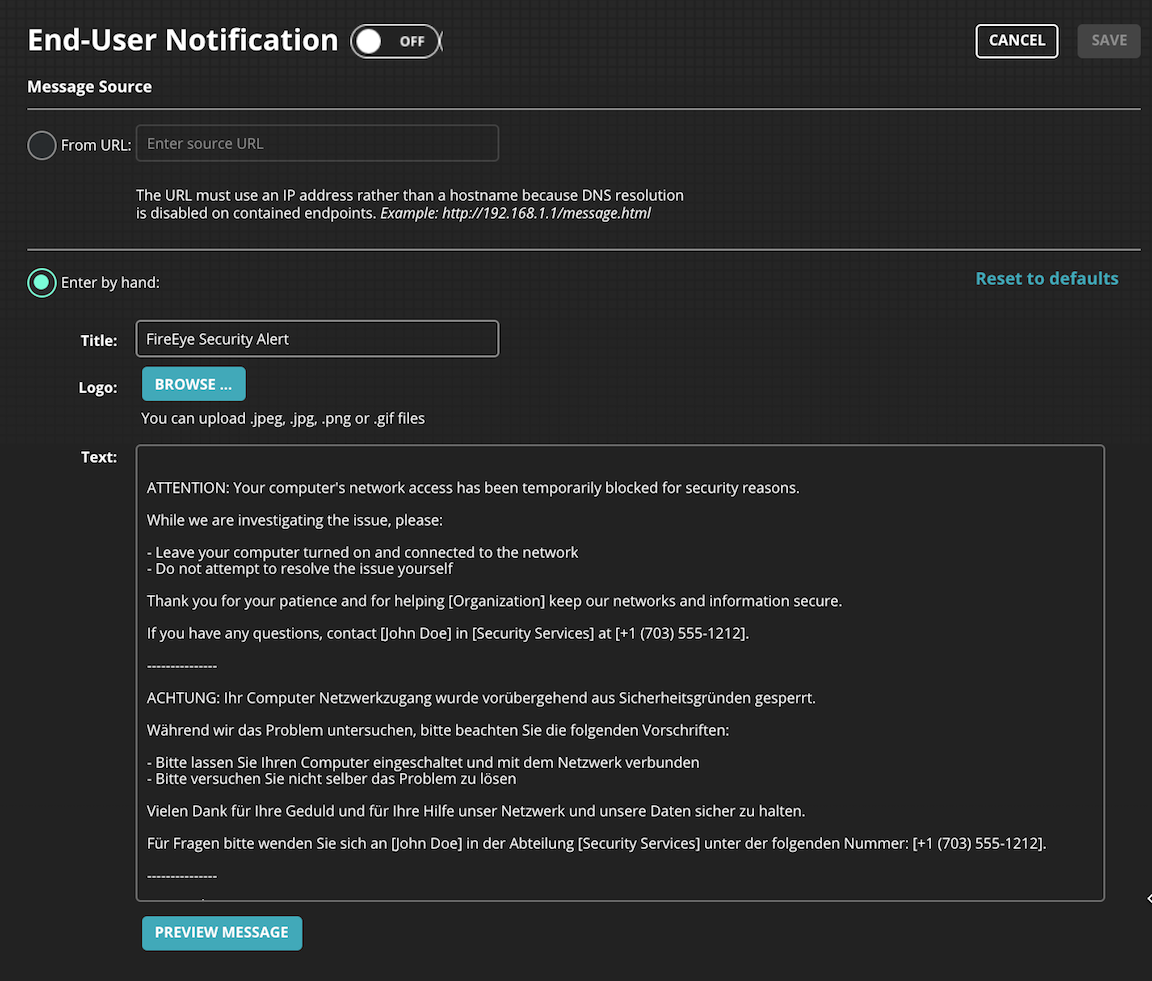
To notify users with a direct message from the Web UI:
Log in to the Endpoint Security (HX) Web UI.
Select Containment Settings on the Configure menu. The Containment Settings page opens.
In the End-User Notification section, slide the End-User Notification switch to On.
Select Enter by hand:
Specify a title for the notification in the Title: text box.
(Optional) Add a logo or other graphic element to the message. Click the Browse button and select a *.jpg, *.jpeg, *.png, or *.gif file.
Enter the desired notification text in the Text box.
Note
A default message is included with the Endpoint Security (HX) software. If you use this default message, you need to update your company name and contact information. When providing the contact information, provide a phone number or other means of contact that does not require network access.
Endpoint Detection and Response with Forensics (EDRF) > Manage your workspaces > Configure Forensics workspace > Configuring containment > Notifying end users about host containment