After upgrading your Endpoint Security (HX) policies, you must deploy the EDRF Client. This process automatically uninstalls xAgent.
Deploy EDRF Client
Log in to ePO - On-prem as an administrator.
Go to Menu → Client Tasks → Client Task Catalog.
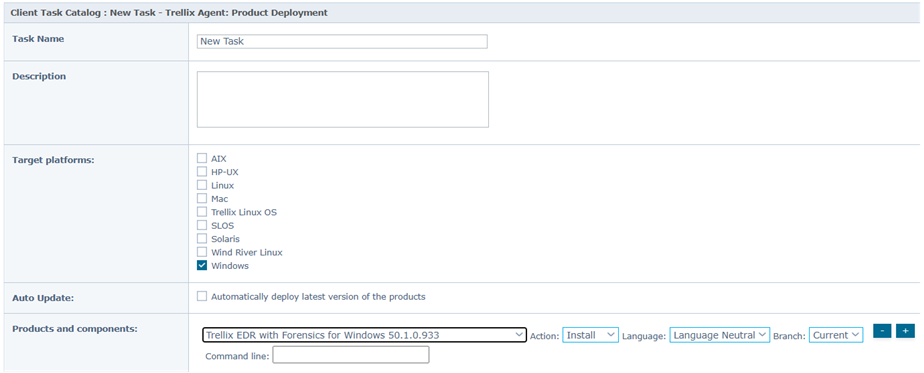
Under Trellix Agent, select Product deployment, and then click New Task.
Enter the Task Name and Description details, then select the target platform (Windows, Linux, or macOS).
In the Products and Components section, select the applicable EDRF Client version, then select the Install action and the Current Branch.
To postpone deployment, use the checkbox next to the Postpone Deployment field.
Click Save.
View the installation status in the Server Task Log.
Click the 'Start' or 'Windows' button, search for Task Manager, and verify that XClient processes are running on the Windows endpoints.
To view the current status of XClient processes on Mac and Linux endpoints, use Activity Monitor and Status Monitor respectively.

Note
We recommended that you reboot the endpoint after installing the EDRF Client.