An external user group allows one IAM organization to have user accounts that have access privileges in another IAM organization. A user group that is listed in your IAM organization as an external user group is defined in its primary (or "owning") IAM organization, where it is an internal user group. It is a user group that was created for the purpose of accessing the OIDC client resources of another IAM organization.
Note
External user groups are defined in their owning IAM organizations by Trellix Customer Support only, and they are added to other IAM organizations by Trellix Customer Support only.
You cannot view the list of users in an external user group, and you cannot modify or delete an external user group.
External user groups―groups that are defined in a different IAM organization and can access your IAM organization―are listed in two pages of the Trellix IAM Web UI:
Organization Settings
User Groups.
External user group names displayed in the organization settings page
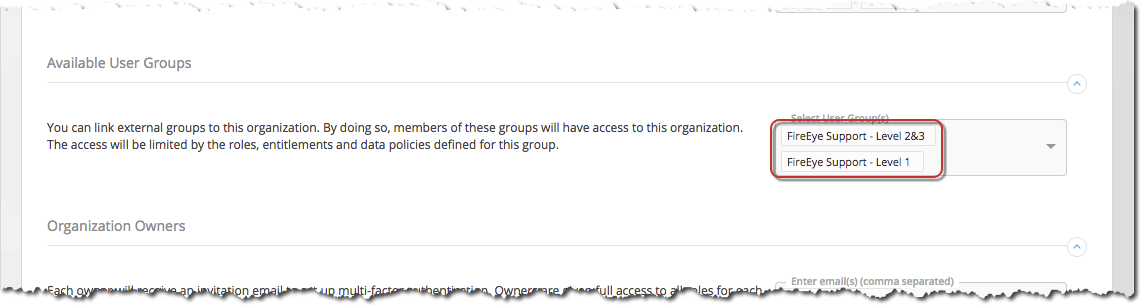
External user group names are displayed in the Organization Settings page (select My Settings > My Organization). In the Available User Groups section of the page, the Select User Groups field displays the external user groups that can access your IAM organization.
External user group names listed in the user groups page
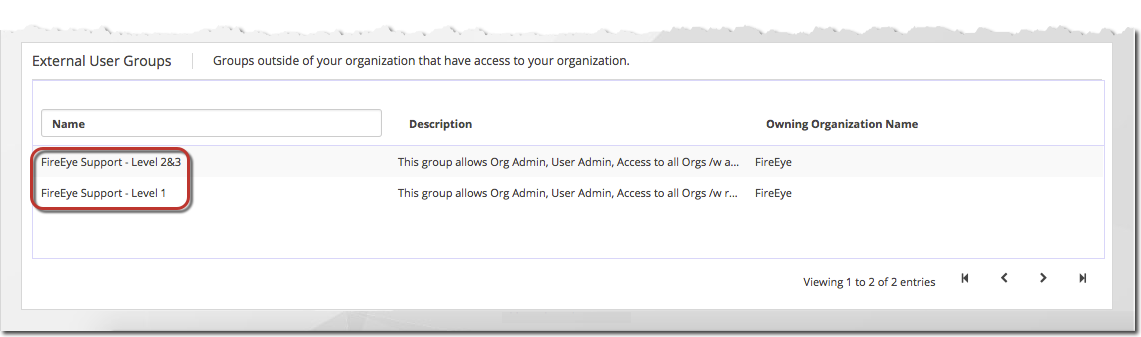
In the User Groups page (select Organization Settings > User Groups), the External User Groups panel lists the external user groups that can access your IAM organization.
Two system-defined external user groups
By default, your Trellix IAM organization includes two external user groups that are defined in an IAM organization administered by Trellix Customer Support. These groups enable the Customer Support team to remotely troubleshoot authentication and authorization issues in your IAM organization.
When Trellix created your IAM organization, they automatically added the following Trellix Customer Support internal user groups as external user groups in you IAM organization:
Trellix Support ‑ Level 1―Users in this group can log in to your IAM organization with read-only access to all services and product types in the organization.
Trellix Support ‑ Levels 2 & 3―Users in this group can log in to your IAM organization with full access to all services and product types in the organization.
The Web UI does not list the members of an external user group. You cannot modify or delete an external user group.