The Application Settings > Preferences page allows you to modify the URLs of the Endpoint Security (HX), Central Management, and Email Security - Cloud products that are integrated with Helix Enterprise.
This page also displays the Endpoint (HX) Token Server URL, which the Event Streamer Module uses to stream Windows Event Log data to Helix Enterprise.
Important
These URLs are used in the pivot actions in the Helix Enterprise Web UI that navigate to the Web UIs of these products. Be careful when you change these URLs to prevent these actions from failing.
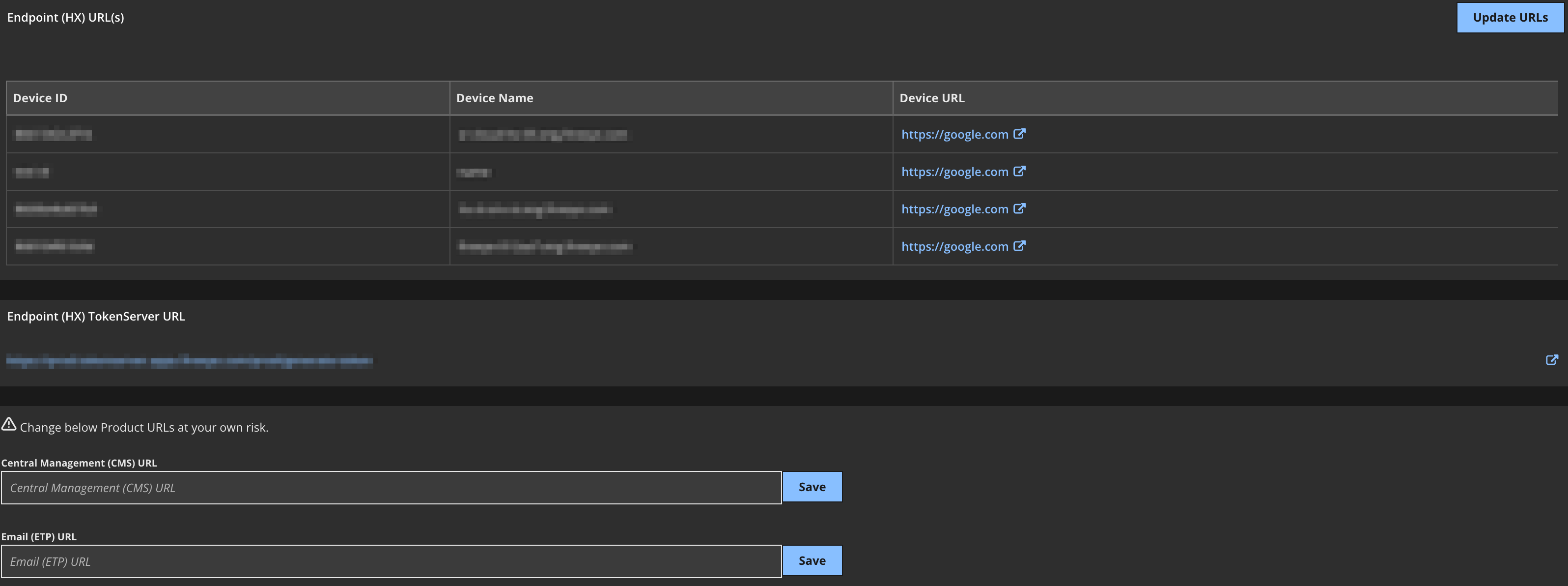
To configure product URLs:
From the main menu, select your avatar and then select Application Settings.
Click Preferences.
Add or update the URL for an integrated on-premises Endpoint Security (HX) appliance:
Click Update URLs in the Endpoint (HX) URL(s) section.
To modify an existing URL, do one of the following:
Enter or select another device ID.
Enter or select another device name. If you leave this field blank, the device name will be the same as the device ID.
Enter another URL.
To add a new URL:
Click Add Endpoint URL.
Enter or select a device ID.
Enter or select a device name. If you leave this field blank, the device name will be the same as the device ID.
Enter the URL for the device.
Click Save.
Add or update the URL for the integrated Central Management appliance in the Central Management (CMS) URL section as needed. Click Save.
Add or update the URL for the integrated Email Security - Cloud instance in the Email (ETP) URL section as needed. Click Save.
Note
See the Email Security — Cloud Administration Guide for the ETP URL for your account region.