To create an API key, start at the API Keys view of the My Settings > API Keys page, and then open the Create API Key dialog box. This view lists the API keys created using your Trellix IAM account.
Depending on the programmatic changes you are enabling, you will need to assign the API key the product and product-specific entitlements needed to make those changes.
For example, suppose the API key will be used to create IAM organization user accounts that need particular access privileges on Helix. The API key used to make these changes must be assigned Product “IAM” and “Threat Analytic Platform” and you grant the necessary set of entitlements under each product.
To create an API key:
Log in to the Trellix IAM Web UI.
Select My Settings > API Keys.
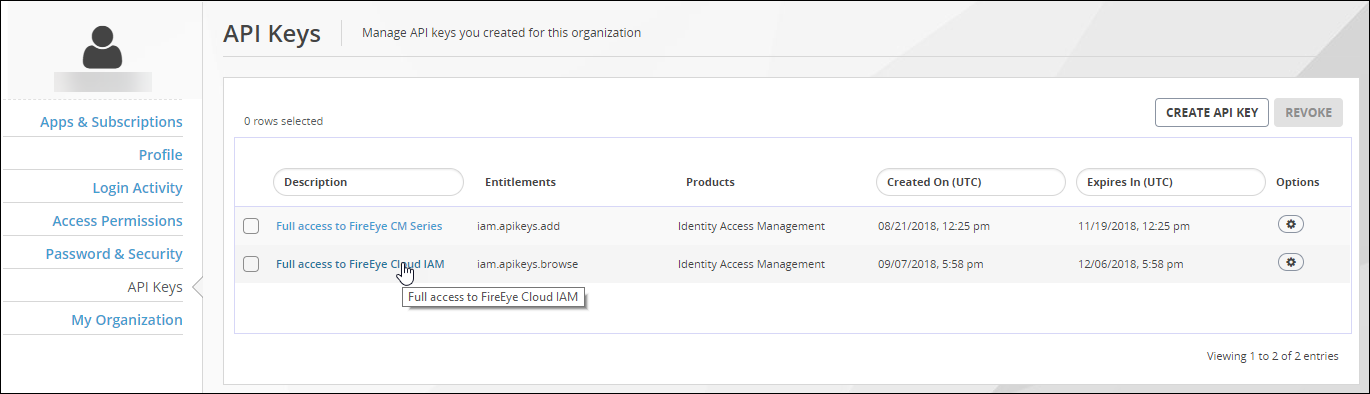
Click Create API Key.
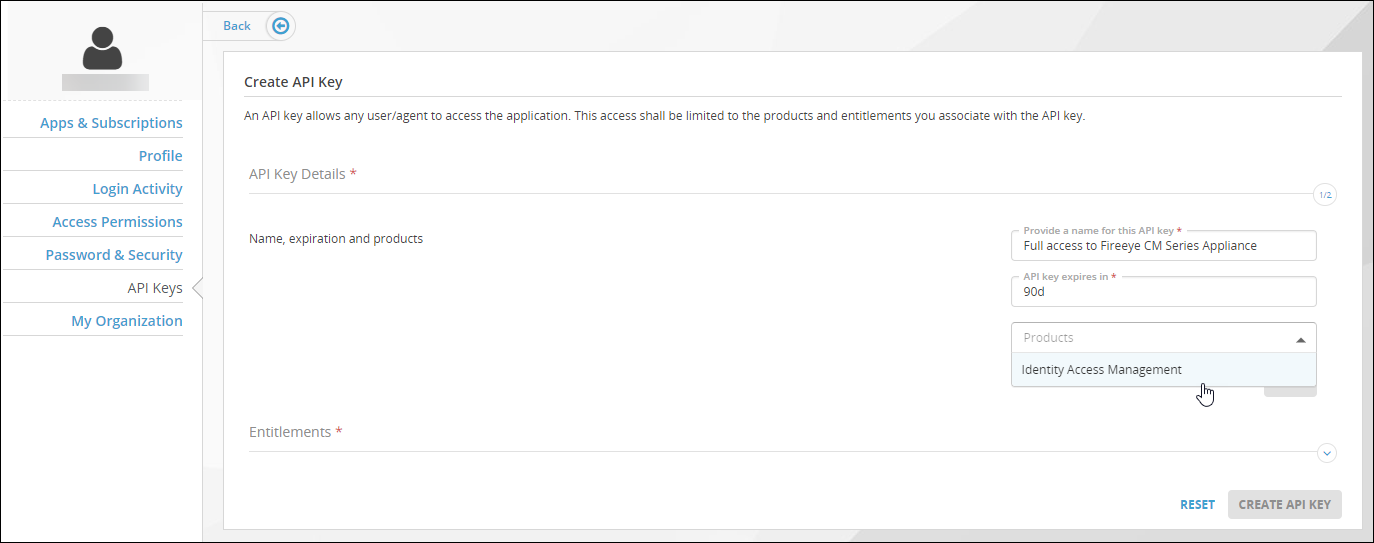
Select either API Key with entitlements or API key with groups to specify the API Key type.
Enter a name for the API key.
Enter the expiration period for the API key.
Specify the product types for which the API key needs access privileges.
To do this, click to open the Products list and then click to select product types.
Click Next.
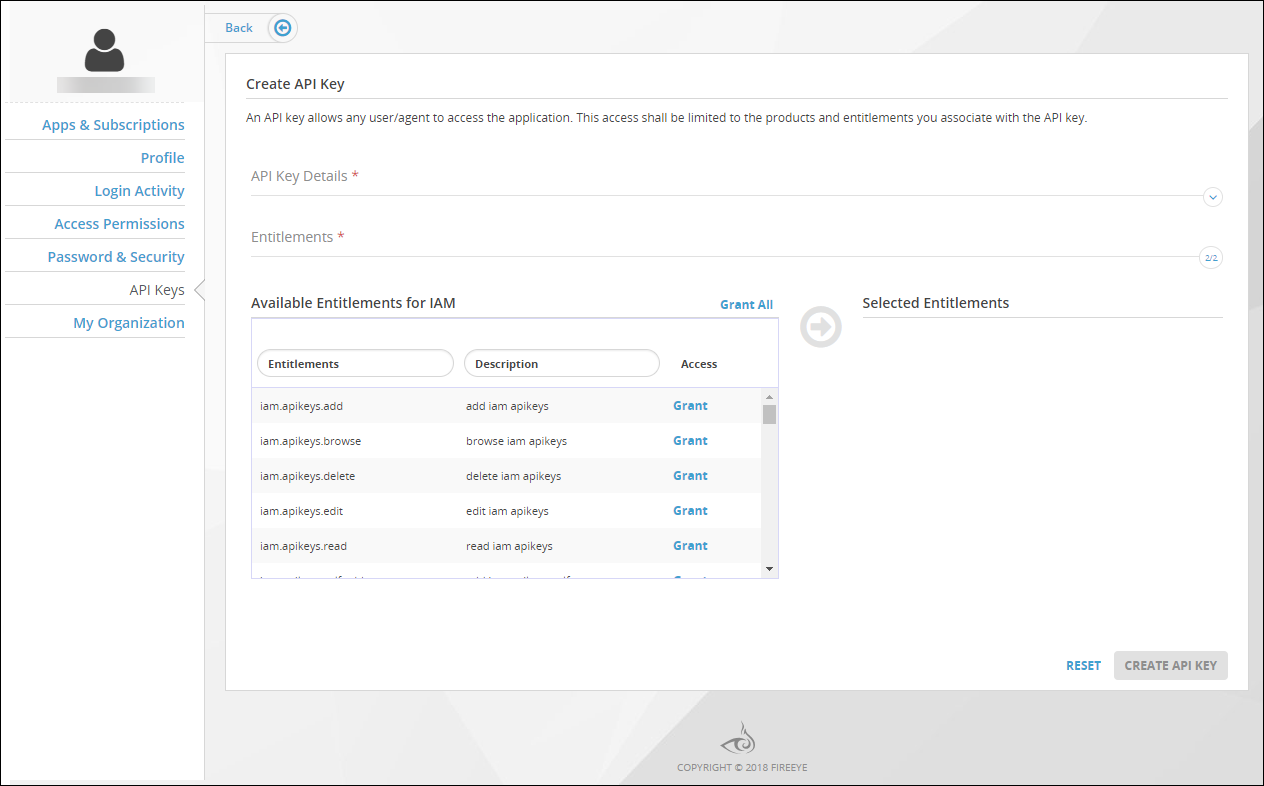
From the Available Entitlements list, select the product-specific entitlements to grant access rights to the API key.
To grant all entitlements in the list, click Grant All.
To grant individual entitlements, click Grant for each entry.
Click Create API Key.