A sensor can be a physical or virtual Network Security appliance, virtual Email Security — Server appliance, or a virtual File Protect appliance. Some Network Security models can function only as sensors, because they do not include an MVX analysis engine. Some physical Network Security appliances can be enabled as sensors, in which case the analysis engine is disabled. A virtual appliance can function only as a sensor.
The following deployment scenarios are supported:
Standalone sensors— The sensors are standalone appliances. You use the sensor Web UI or CLI to manage the sensor and its alerts.
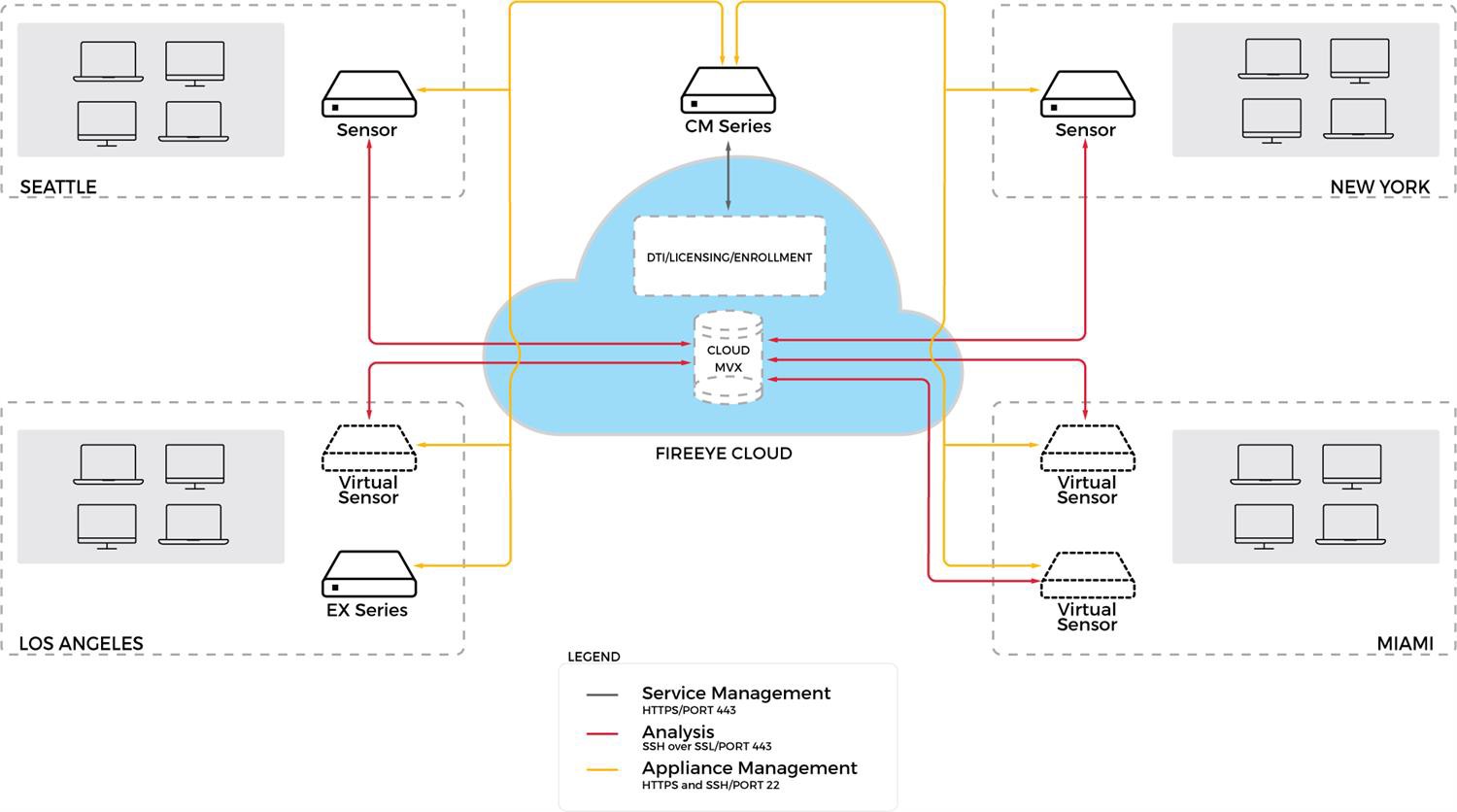
Managed sensors—A Central Management appliance manages only sensors or it manages both sensors and integrated appliances. You typically use the Central Management Web UI and CLI to manage the sensors and the aggregated alerts.
The following diagram shows a deployment in which a Central Management appliance manages physical and virtual sensors as well as integrated appliances.
 |
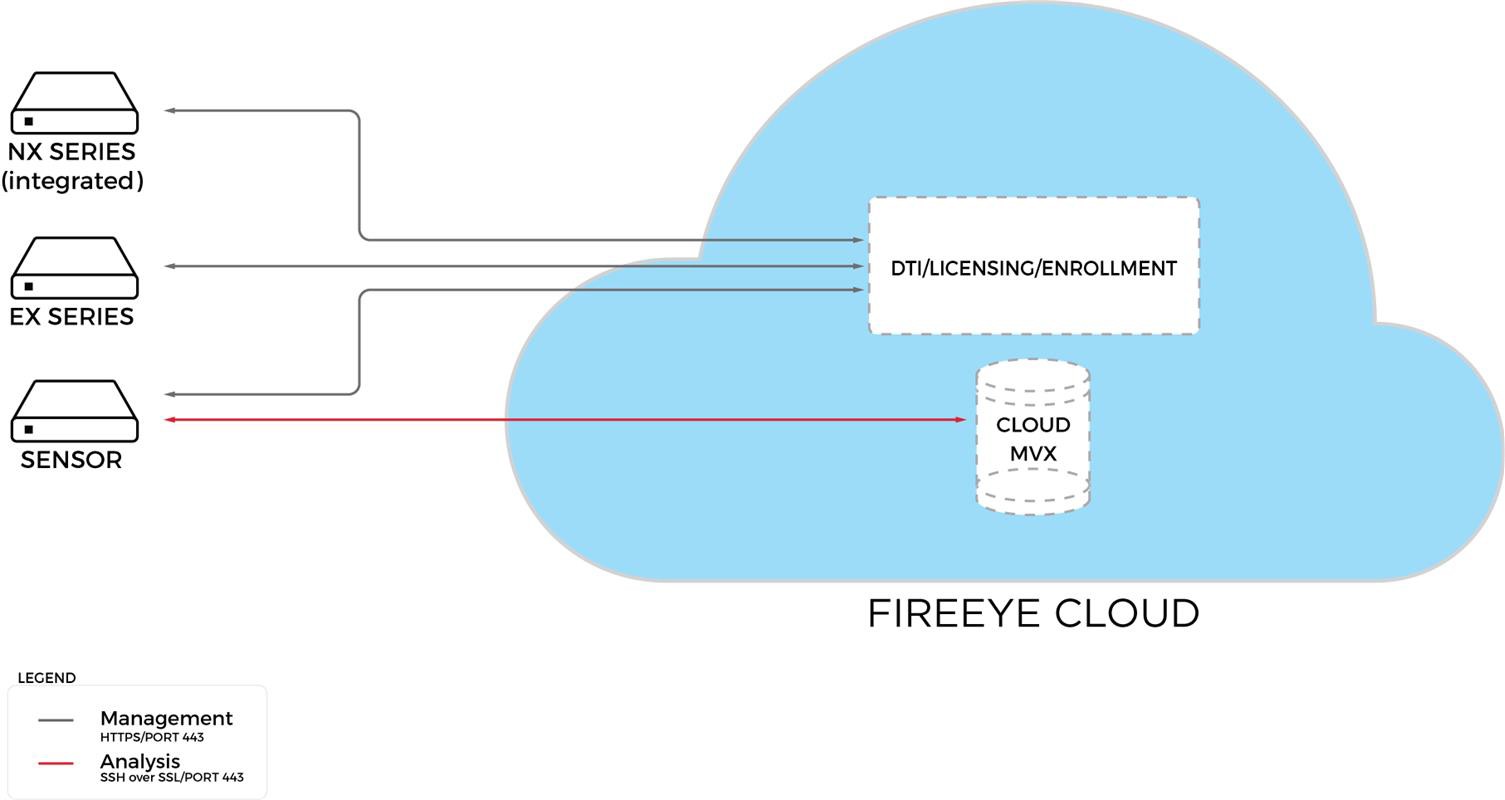
The following diagram shows a deployment with three standalone appliances:
The sensor has two connections to the FireEye cloud. The management interface is for the DTI, licensing, and enrollment services. The submission interface is for submitting objects to the Cloud MVX and receiving analysis results.
The integrated Network Security and Email Security — Server appliances connect to the FireEye cloud over the management interface, which is for DTI and licensing services. Each of these two appliances has a local MVX engine, so they do not enroll with the Cloud MVX or send submissions to it.
 |