Generating a malware activity report using the Web UI
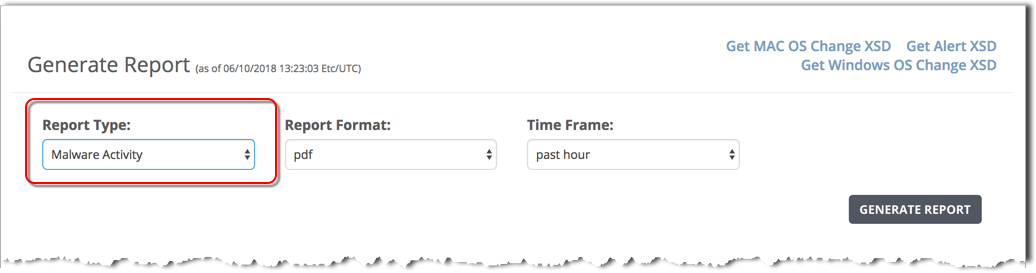
To generate an malware activity report using the Web UI, use the Generate Report panel and specify the Malware Activity report type.
To generate a malware activity report:
In the Report Type field, select MalwareActivity.
In the Report Format field, the csv output format is selected by default. The Infected Hosts Trend report is not available in other output formats.
Was this article helpful?
Related articles
Network Security (NX) > Network Security SmartVision Feature Guide > Monitoring > Creating and managing reports > Malware activity report
Network Security (NX) > Network Security SmartVision Feature Guide > Monitoring > Creating and managing reports > Infected hosts trend report
Network Security (NX) > Network Security SmartVision Feature Guide > Monitoring > Creating and managing reports > Malware activity report