You can send alert notifications from the Central Management System appliance, from managed appliances, or from both the Central Management System appliance and managed appliances to different servers. The following options are available:
Centralized Notifications—All notifications come from the Central Management System appliance.
Mixed Notifications—Notifications come from both the Central Management System appliance and managed appliances.
Decentralized Notifications—Notifications come from managed appliances only.
Centralized notifications
Use centralized notifications if you want all your alert notifications to come from the Central Management System appliance. The advantage of using centralized notifications is that you only have to configure settings once, and the alerts are tracked in the same place. A disadvantage is that you have fewer delivery options. For example, for email notifications configured on the Network Security appliance, the delivery options are "Daily digest," "Per event," "Daily per source," "Hourly per source," "1 min per source," and "5 mins per source." On the Central Management System appliance the only options are "Daily digest" and "Per event."
After Central Management System notifications are enabled, all notification alerts are sent to the notification servers you configure for the Central Management System appliance. Centralized notifications start immediately after you configure a protocol and add notification server details, and they stop if you remove the notification servers or the protocols. The Central Management System appliance sends notifications in the order they are received.
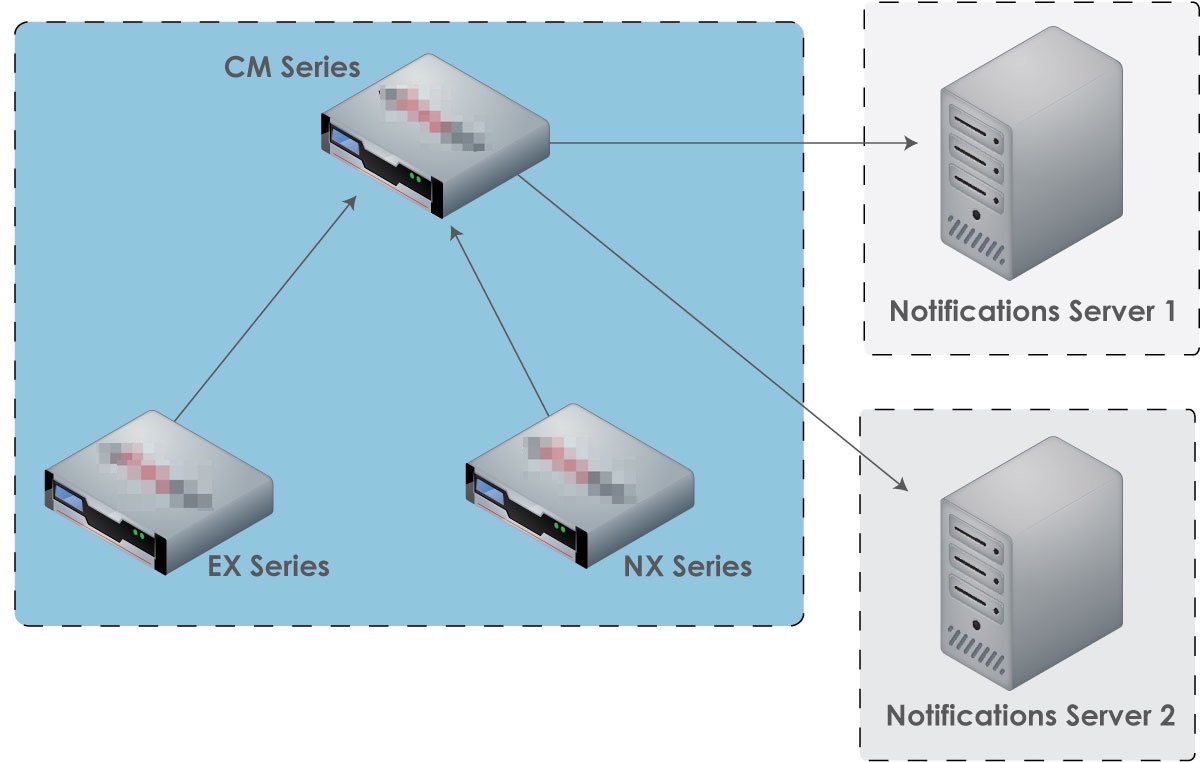
Perform the following tasks to set up centralized notifications:
Remove the notification settings for each managed appliance, as described in the User Guide for the managed appliance.
Enable notification settings for the Central Management System appliance, as described in Configuring event notifications.
Mixed notifications
Use mixed notifications when you want to send centralized notifications to one notification server, and individual appliance notifications to other servers. One advantage of mixed notifications is that you can track notifications from individual appliances separately on a separate notifications server, while still aggregating notifications from all managed appliances on the Central Management System appliance. Another advantage is the additional delivery options on the individual appliances, as described in Centralized notifications.
Note
If you disconnect an appliance from the Central Management System appliance, notifications will be sent to the server configured for that appliance, if one is configured.
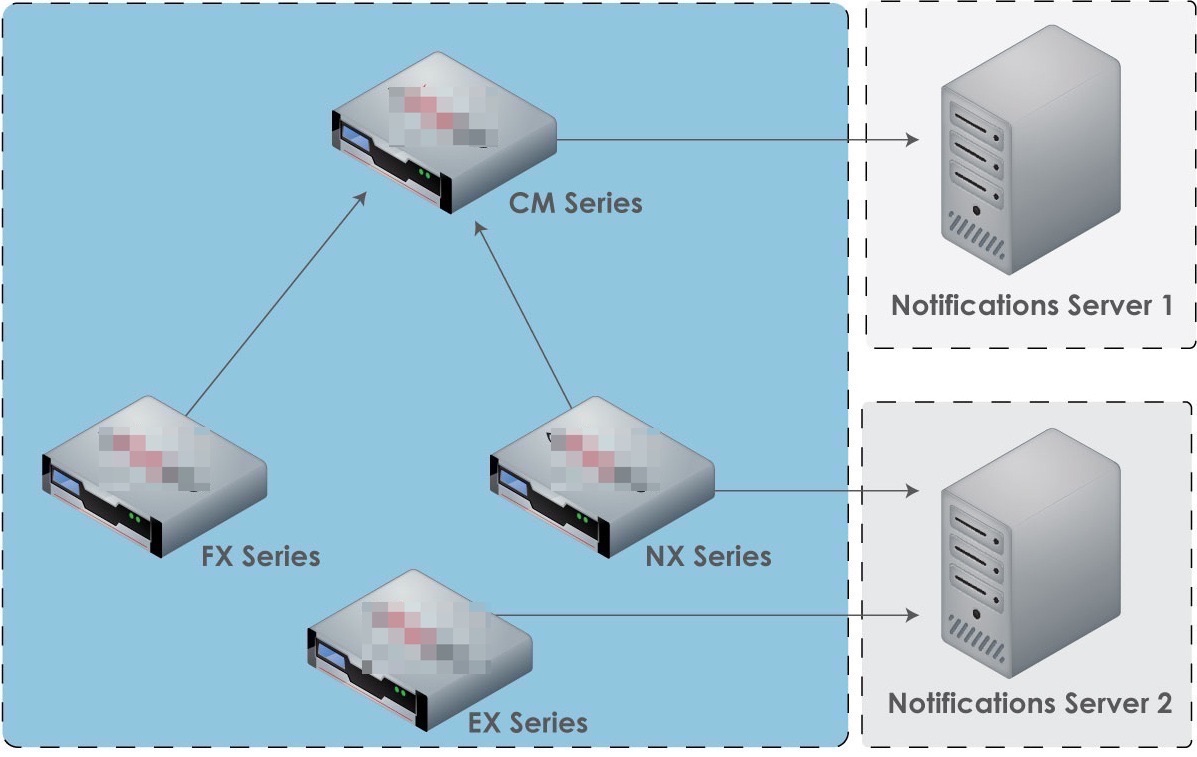
Perform the following tasks to set up mixed notifications:
Enable notification settings for the Central Management System appliance, as described in Configuring event notifications.
Enable notification settings for each managed appliance you want to track separately, as described in the User Guide for the managed appliance.
Decentralized notifications
Use decentralized notifications if you want notifications to be sent only from individual managed appliances, and not from the Central Management System appliance. This was the notification delivery method in previous versions of the Central Management System appliance (Release 6.4.1 and earlier), so no configuration changes are needed for backward compatibility.
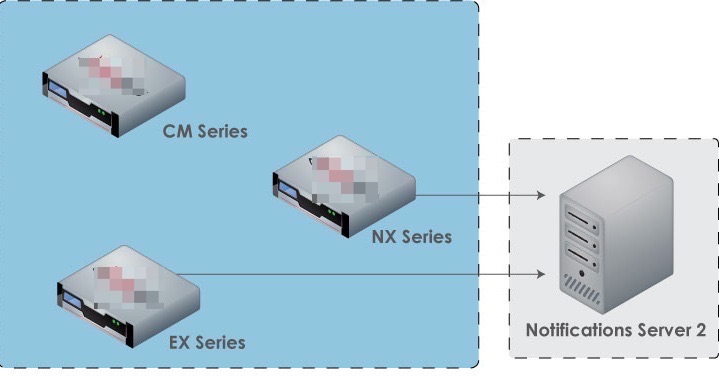
Perform the following tasks to set up decentralized notifications:
Remove all notification settings for the Central Management System appliance, as described in Configuring event notifications.
Enable notification settings for each managed appliance, as described in the User Guide for the managed appliance.