From the Critical Malware Detection panel of the dashboard, you can pivot to the corresponding list of VM-detected alerts.
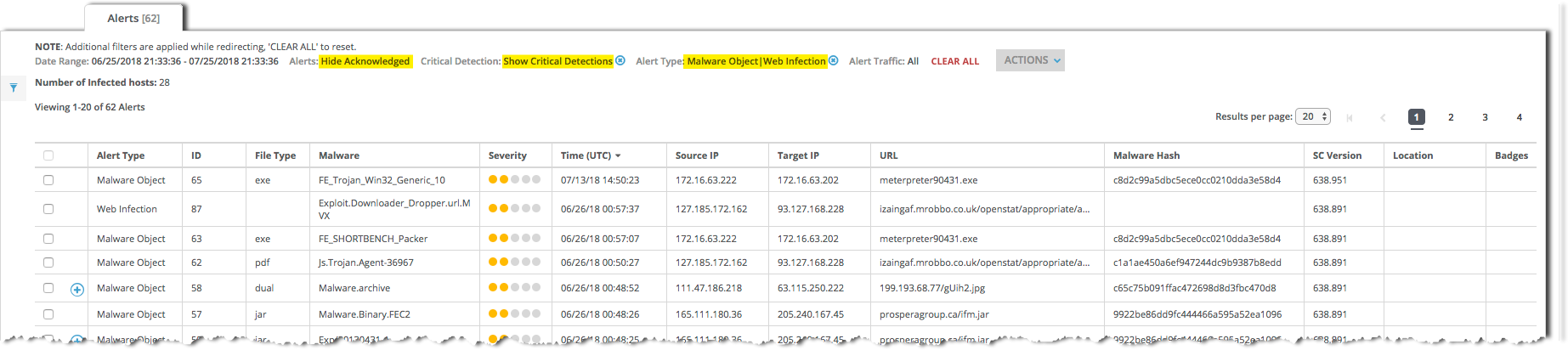
For details about the malware alerts list, see the “Monitoring Alerts and Hosts” chapter of the Network Security User Guide.
Prerequisites
The Critical Malware Detection panel includes MVX ‑ [VM Detected Hosts].
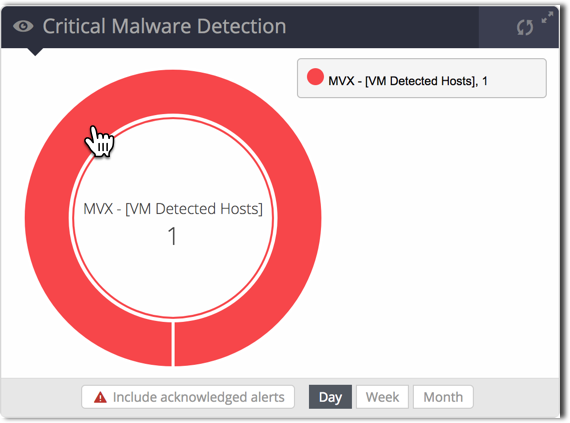
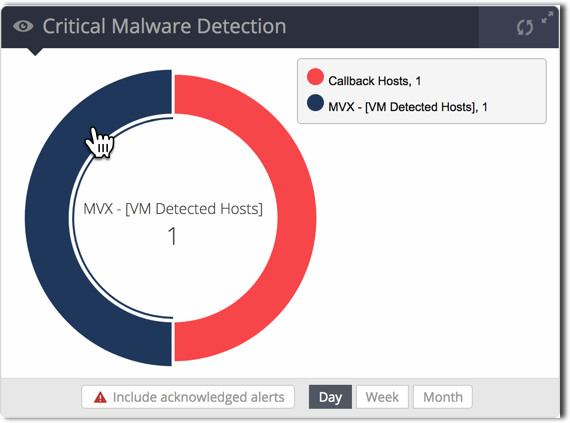
Click the MVX ‑ [VM Detected Hosts] segment of the pie chart.
The example on the left is for a SmartVision Edition appliance. The example on the right is for a SmartVision-enabled Network Security sensor or integrated appliance.
The Alerts > Alerts > Alerts page appears. The list is filtered to display the VM-detected alerts counted in the Critical Malware Detection panel. On a SmartVision Edition appliance, the list shows Malware Object alerts. On a SmartVision-enabled Network Security sensor or integrated appliance, the list includes Malware Object and Web Infection alerts.
(Optional) View details about an individual alert by clicking the alert entry.
(Optional) Download the details about a single alert to an XML file:
Select the checkbox for the alert entry.
Select Actions > Download XML in the upper-right corner.
Save the file to your local system.