The following sections describe how to set up networking and storage for a virtual NDR Console appliance on an ESXi host.
Setting up networking
The Virtual IA Series appliances has two interfaces. The ether0 interface is used for management. The optional ether1 interface can be used to set up a multi-node cluster. Connect the ether0 interface to the management network. Connect the ether1 interface to a private switch that is only used for internal traffic for the cluster
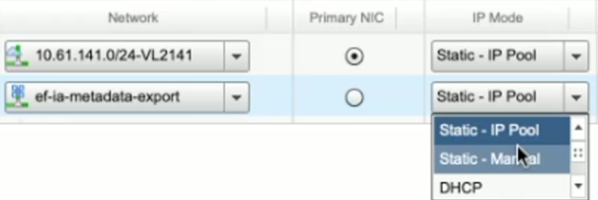
By default, one NIC is associated with the OVA. Connect it to the ESXi network that can provide an IP address via DHCP when it boots.
If you plan to set up a cluster, add a secondary NIC to the virtual machine. Connect the secondary NIC to a private router within VCloud and add a static IP address manually in the private IP space. This traffic is unencrypted.
Setting up storage
The OVA is configured with storage for the root filesystem (120 GB). You must add a second virtual disk before powering on the appliance for the first time. The required disk size depends on your metadata ingest rate and the retention period you need. Add storage with at least 100 Mbps of throughput for performance. See Virtual Appliance Sizing and Architecture guide for more details (KB03007) for additional details.
When this configuration is complete, you can power on the virtual machine. It will obtain a management IP address via DHCP.