Sensors receive log data from your environment. Use the CB menu under the search bar to filter search results by sensor (Comm Broker Sender).
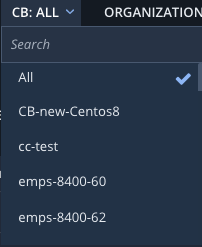
Do one of the following to select the sensor (CB) for the data you want to search:
Enter the first few characters of sensor name in the search box. Then select the sensor.
Scroll through the list to find the sensor. Then select the sensor.
Select All to search the data from all sensors.