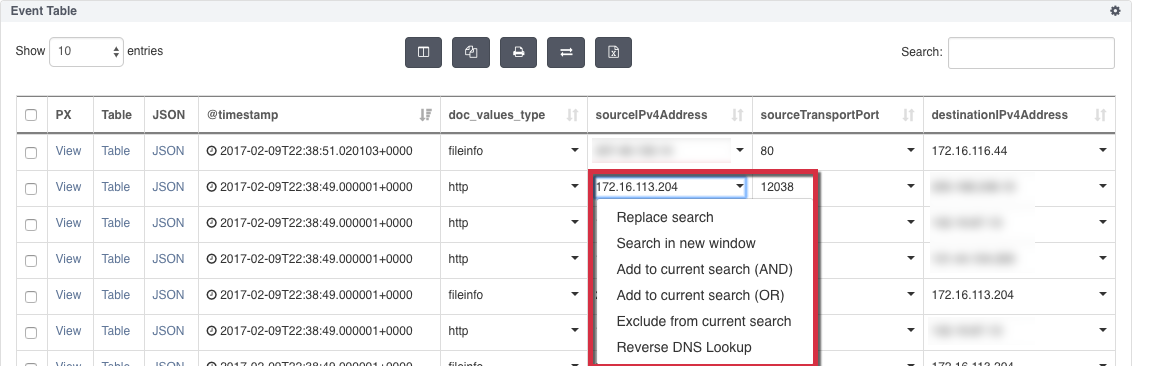
Use the NDR Reverse DNS Lookup function in the Event Table to find the domain name for a specific IP address.
Note
When using the Filter tab, you must click the Apply button at the bottom left of the Filter tab each time you add or modify a filter. This applies the new or modified filter to your NDR search query.
Click
 and from INVESTIGATION, select Search.
Click the Filters tab and create an HTTP filter to your packet search.
Click Apply to add the filter to your search.
Click the Add Component button at the bottom of the dashboard and select the Event Table widget.
Click Add Component to save the widget to your dashboard.
Click the search icon, next to the Query Bar, to run the search.
From the Event Table, select an IP address field from the sourceIPv4Address or destinationIPv4Address column.
Click the field drop-down menu and select Reverse DNS Lookup.