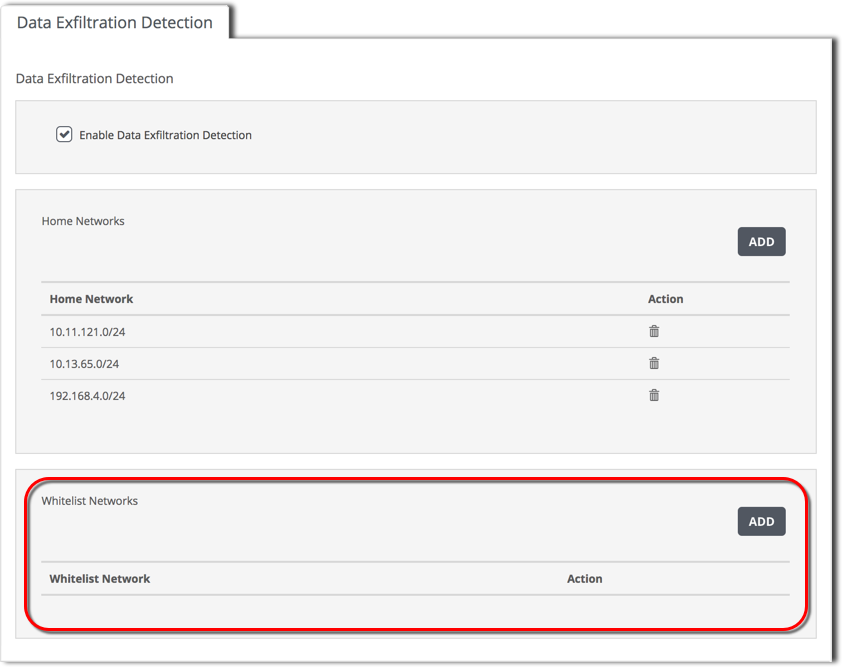
Use the Data Exfiltration Detection tab to view and manage the data exfiltration alerts whitelist. This whitelist specifies destination IPv4 addresses. The appliance does not generate data exfiltration alerts for data uploads to hosts or networks in the data exfiltration whitelist.
Note
SmartVision maintains two whitelists. The SmartVision alerts whitelist applies to all post-exploitation attacker events, including data exfiltration events. The data exfiltration detection whitelist applies to data exfiltration events only.
Prerequisites
Admin access to the SmartVision appliance.
To view the data exfiltration detection whitelist:
Log in to the appliance Web UI and select Settings > SmartVision Configuration.
Click the Data Exfiltration Detection tab.
The Whitelist Networks panel contains the destination IP address
Enter the address range in classless inter-domain routing (CIDR) format.