The Standard Investigative Details script collects the most common forensic data from host endpoints. You can copy, edit, reset, and export this script on the Data Acquisitions Script page.
This script can be requested for Windows, macOS, and Linux host endpoints.
Requesting standard investigative details
Select Hosts in the Endpoint Security (HX) Web UI.
Select one or more hosts.
From the Actions menu, select Standard Investigative Details. Alternatively, you can select Standard Investigative Details from the Acquire menu on a host details page.
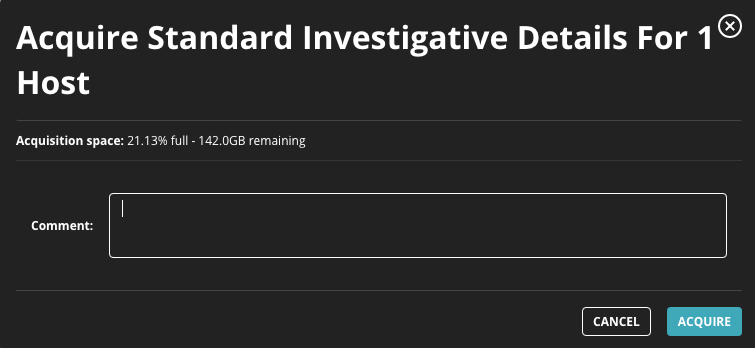
Click Go to access the Acquire Standard Investigative Details dialog box.
In the Comment field, enter the reason you want to acquire the file and any details about the data acquisition request that you want to track.
Click Acquire.
The Acquire Standard Investigative Details dialog box also shows the percentage of allotted disk space currently used to store acquisitions and how much free disk space (in GB) remains.
Agent Diagnostics data can be requested as a regular data acquisition. See Requesting a data acquisition.