This topic covers the following information:
Badge colors that indicate risk levels
When Advanced Threat Intelligence is enabled, the Email Security - Server appliance Web UI visually flags an ATI alert—an MVX-verified event for which the appliance has obtained threat intelligence—by displaying a color-coded badge in the eAlerts tab and the eQuarantine tab of the appliance. The color of the badge indicates the level of risk posed to your network. In the eAlerts > Recipient page, eAlerts > Sender page, eAlerts > Alerts page, or eQuarantine page, if an alert grouping includes an ATI alert, the table row displays a Threat Info badge in the Badges column. You can click an ATI badge to drill down to the threat intelligence and other details about the alert
The color of a Threat Info badge indicates the level of risk that the attack poses to your network:
Badge | Description |
|---|---|
| A red Threat Info badge indicates an ATI alert for a threat that poses a high risk. |
| An orange Threat Info badge indicates an ATI alert for a threat that poses a medium risk. |
| An amber Threat Info badge indicates an ATI alert for a threat that poses a low risk. |
.png)
.png)
.png)
Note
For managed Email Security - Server appliances, ATI badges and ATI information are visible from the Central Management System Web UI only.
ATI alert badges in the eAlerts > Recipient page
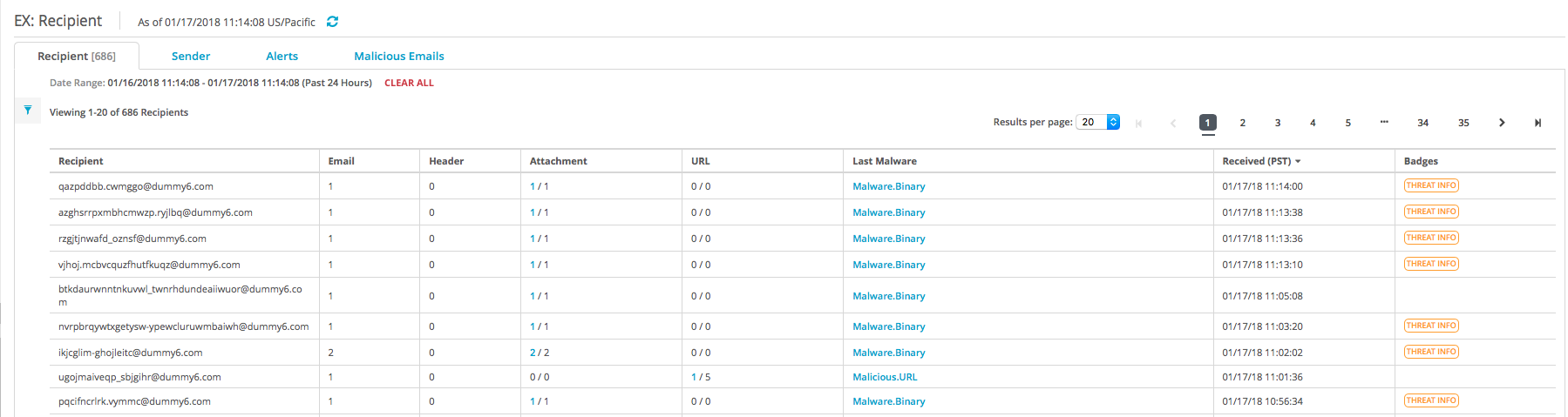
The eAlerts > Recipient page lists malware alerts and associated callback activity, grouped by associated senders, attachments and embedded URLs, time frame, and malware type. A Threat Info badge appears in a table entry if threat intelligence is known for an alert in the grouping.
The following example shows the display of an eAlerts > Recipient page. The default display lists entries in reverse chronological order, shows 20 results per page, covers the previous 24 hours of network threat prevention processing, and is not filtered on any data column.
ATI alert badges in the eAlerts > Sender page
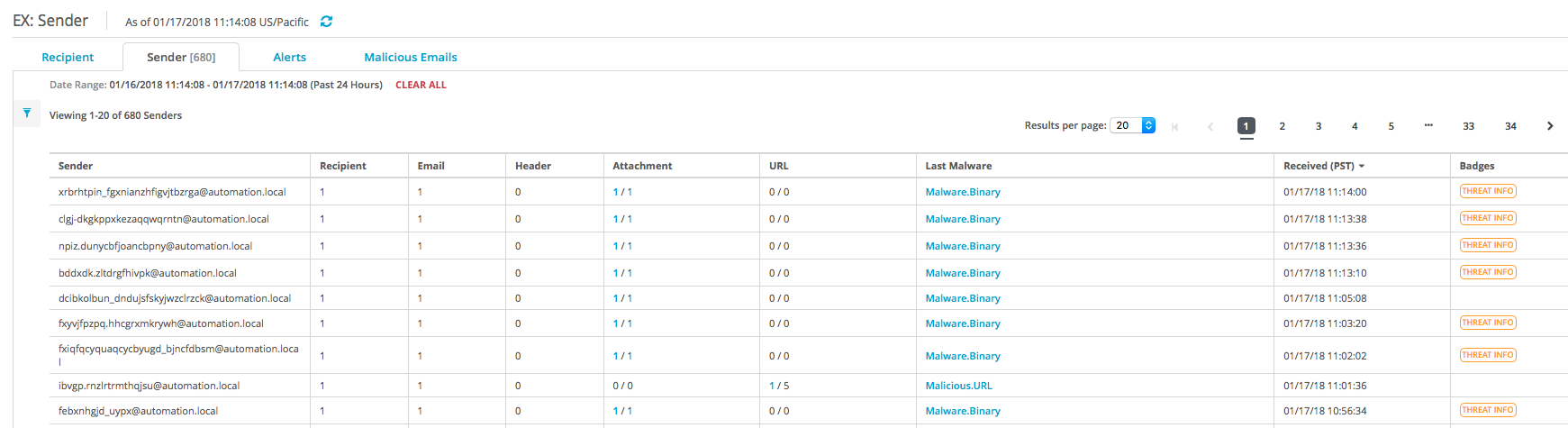
The eAlerts > Sender page lists malware alerts and associated callback activity, grouped by associated recipients, attachments and embedded URLs, time frame, and malware type. A Threat Info badge appears in a table entry if threat intelligence is known for an alert in the grouping.
The following example shows the display of an eAlerts > Sender page. The default display lists entries in reverse chronological order, shows 20 results per page, covers the previous 24 hours of network threat prevention processing, and is not filtered on any data column.
ATI alert badges in the eAlerts > Alerts page
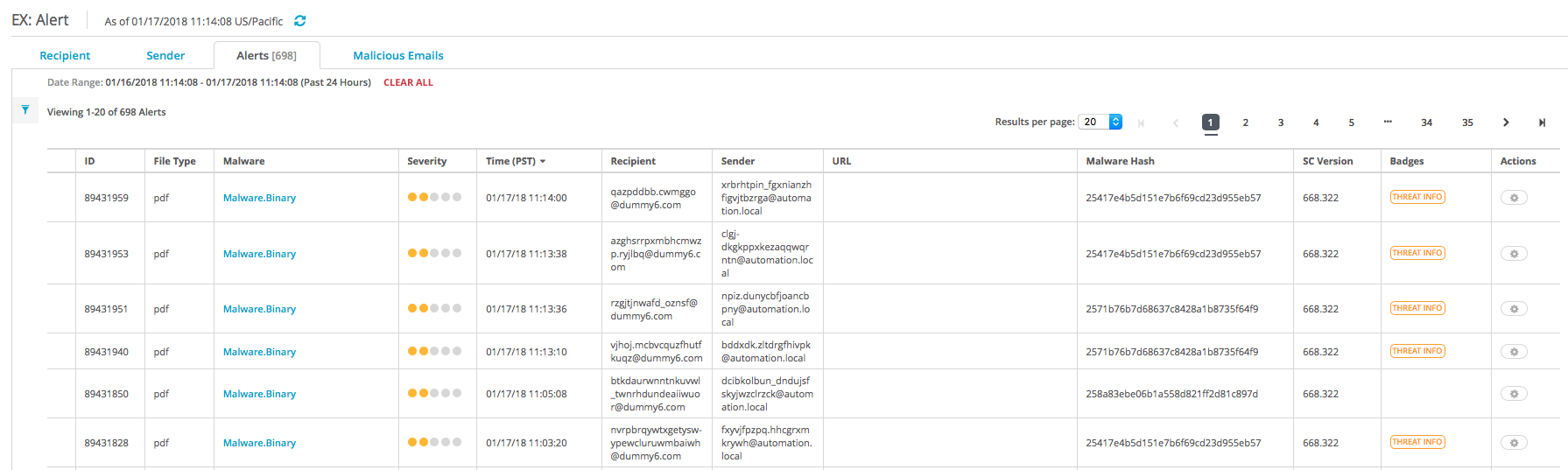
The eAlerts > Alerts page lists malware alerts and associated callback activity, grouped by attack (associated recipients, associated senders, attachments and embedded URLs, time frame, and malware type). A Threat Info badge appears in a table entry if threat intelligence is known for an alert in the grouping.
The following example shows the display of an eAlerts > Alerts page. The default display lists entries in reverse chronological order, shows 20 results per page, covers the previous 24 hours of network threat prevention processing, and is not filtered on any data column.
ATI alert badges in the eQuarantine page
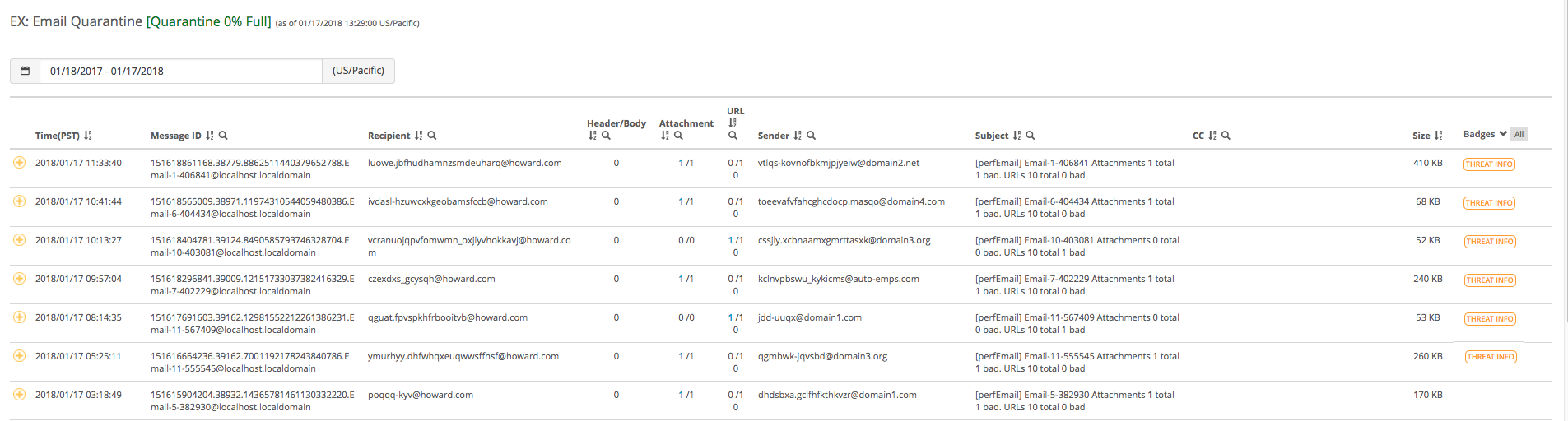
The eQuarantine page lists malware alerts and associated callback activity grouped by associated recipients, associated senders, attachments and embedded URLs, and email message text. A Threat Info badge appears in a table entry if threat intelligence is known for an alert in the grouping.
The following example shows the display of an eQuarantine page. The default display lists the entries in reverse chronological order, shows 20 results per page, covers the previous 24 hours of network threat prevention processing, and is not filtered on any data column.