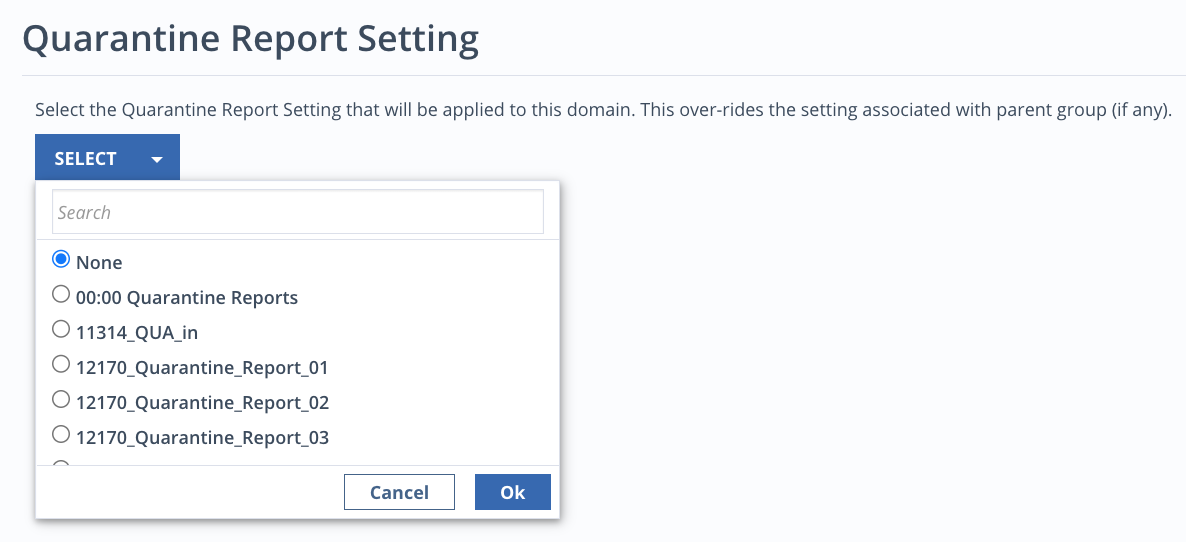
Selecting quarantine report settings
To select which quarantine report setting you want to apply to a domain:
Click the Manage link next to Quarantine Reports Setting.
Click Change and select a new setting from the list. This selection will override any setting associated with the parent group.
Click OK, then Save.
To create new quarantine report settings or manage existing ones, see Configuring quarantine reports.
Was this article helpful?
Related articles
Email Security - Cloud > Email Security - Cloud Administration Guide Release 2026.2 > System configuration > Quarantine reports
Email Security - Server > Email Security - Server User Guide Release 11.x > Monitoring > Monitoring alerts > Email quarantine > Configuring the quarantine settings
Data Loss Prevention (DLP) > Trellix Data Loss Prevention 11.13.x Product Guide > Appendix > Policy Catalog settings > Windows Client Configuration