You can view the analytics data from a classification scan on the Data Inventory dashboard. You can analyze this data to decide what remediation scan is required.
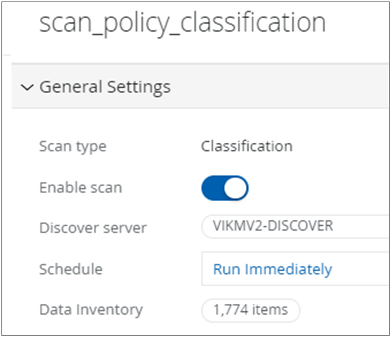
On the Scan Management page, select a classification scan to open the scan details pane on the right.
Go to the General Settings section and in the Data Inventory field, click the value displayed.
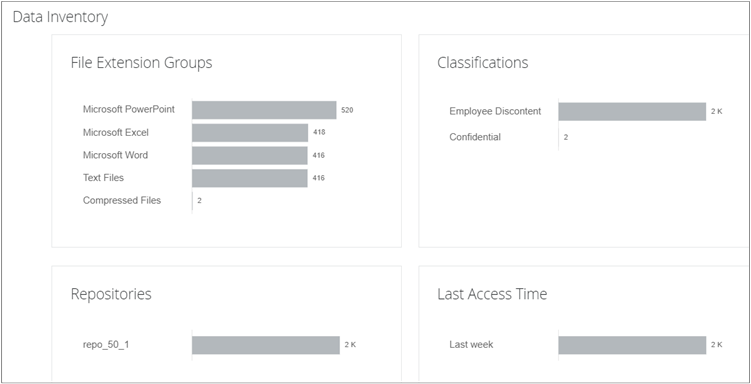
The Data Inventory dashboard displays these details:
File Extension Groups
Type of files scanned in the repository.
Classifications
List of classifications based on which the scan detects and classifies files in the repositories.
Repositories
Repositories included in the scan.
Last Access Time
Last accessed time of the scanned files.
You can analyze the data from the classification scan and decide the kind of remediation scan required.