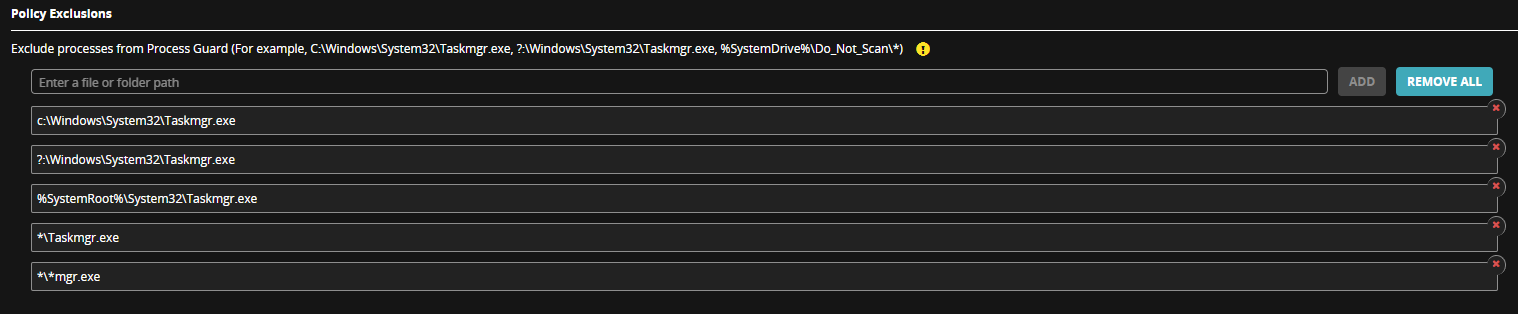
Use policy exclusions to exclude legitimate applications from detection. Configuring exclusions for Process Guard prevents unnecessary events from flooding the Endpoint Security server. To add a process exclusion, enter the path of the process that you want to exclude and click Add. Each process needs to be added separately. Process Guard supports exclusions that contain wildcards (*, ?) and system environment variables, such as %SystemDrive% and %SystemRoot%.
Note
For Process Guard versions 1.5.x and earlier you must use a full executable file path.
The following are sample exclusion paths using wildcards and system environment variables
Sample Exclusion Paths
Exclusion Path | Description |
|---|---|
C:\TestFolder\procdump.exe | Full executable file path |
C:\TestFolder\*.exe | Matches any executable filename |
C:\TestFolder\procdump.* | Matches any file extension |
C:\*\procdump.exe | Matches any subfolder |
*:\TestFolder\procdump.exe ?:\TestFolder\procdump.exe | Matches any drive letter |
C:\TestFolder\????????.exe ?:\????Folder\????dump.??? | Matches any combination of single characters in path |
* \*procdump.exe | Matches any folder path |
*procdump.exe | Matches any process path |
%SystemDrive%\TestFolder\procdump.exe | Matches the drive letter with the system environment variable |
%SystemRoot%\*\procdump.??? | Matches a combination of wildcards and environment variables |
Process Guard Exclusion Policy Settings