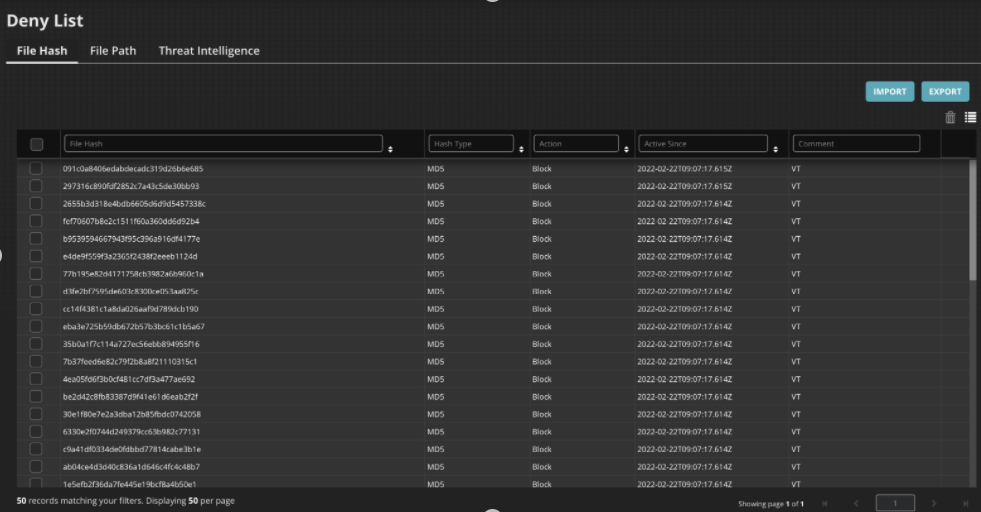
Instead of manually collecting and configuring intel, you can use a third-party feed to automate the import of file hash Intel to the Deny List module. The VirusTotal API is supported.
To configure a third-party API in the Endpoint Security Web UI:
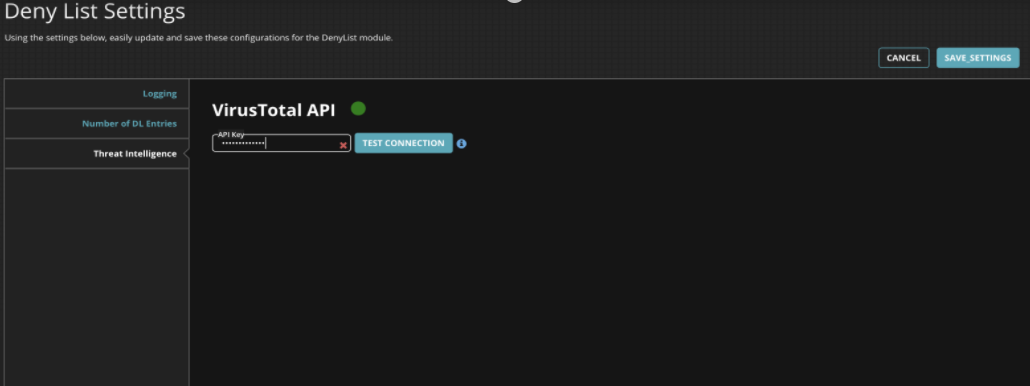
Configuring API key
Go to Modules > Endpoint Modules Administration > Deny List > Configure.
On the Threat Intelligence tab, enter the Virus Total API key and then click Test Connection.
The green dot indicates connection is established with the third-party API. When the key is invalid, the dot is indicated in red.
Adding queries to threat intelligence
After establishing the connection with Virus Total API, you add VirusTotal queries. The polling interval for the Threat Intelligence is set as 1, 2, 4 or 8 hours.
On the Threat Intelligence tab, set the Polling Interval as 1,2,4, or 8 hours.
Click the ADD QUERY button and then provide the values for the following fields.
Feed Source: Set to Virus Total
Action : Alert, Block or Quarantine
Max no of Results: 0 to 300 results for each query
Hash Type: Md5 or Sha256
Query: Virus Total API
Comment: Enter to identify the received third-party Intel from the file hash intel.
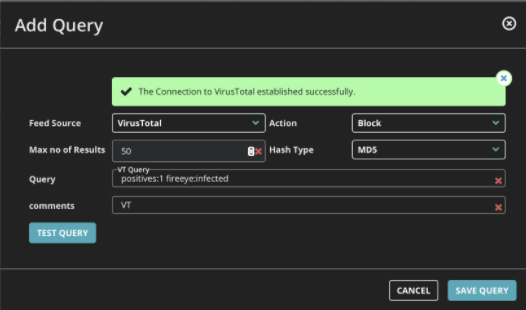
Click Test Query. The Save Query button is enabled when all the parameters are correct.
Click Save Query to save the query. This button is now visible in the Threat Intelligence tab.
Verify that the received intel is available in the File Hash tab.