The Process Guard Module home page allows administrators to view/delete events generated by Process Guard Module.
Process Guard Home Page on Endpoint Security Server
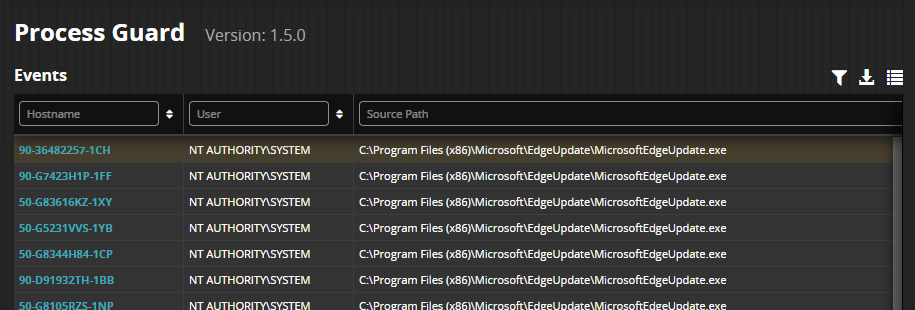 |
The home page contains default columns that can be modified to suit your needs. Standard features such as exporting the grid data to CSV format and creating private or public filters are supported. Selecting an event opens a side card with all the event details.
Event Data | Description |
|---|---|
Hostname | Host name of the machine. Click this hyperlink to open a host page. |
User | Username of logged in user account. |
First Seen | Timestamp of an event seen for the first time after the Process Guard Module installation. |
Last Seen | Most recent timestamp of the same event. |
Agent ID | The unique ID of the agent installed on the host. |
Source Path | The fully qualified path of the executable file associated with the process that caused the threat. |
Source MD5 | The MD5 hash of the source process file. |
Source PID | The process ID of source process. |
Command Line | The command arguments supplied to the process when it executed. |
Action Taken | Action, blocked or detected, taken by the endpoint. |
Occurrence Count | Total count of repeated attempts. |
Process Cert | Source process digital signature details. |
Signature Verified | Source process digital certificate verification status. |
Is Signed | Whether a signature exists for the file associated to the process. |
Source Parent Path | The fully qualified path of the file associated with the parent process of the source process being executed. |
Parent PID | Process ID of the parent process. |
Target Path | The absolute file path of the process protected by Process Guard. |
Target PID | Target Process ID. |
Enrichment Status | FireEye Intelligence verification on the source process. |