In the NDR, session reconstruction is critical for alert investigation. It involves reassembling fragmented network data in order to reveal the full conversation. This process enables you as an analyst to see the complete conversation, providing granular details that individual alerts or log entries cannot offer. You can view what content was exchanged, the user actions, and attacker tactics, which is vital for in-depth incident investigation.
To reconstruct alerts from the Alerts page:
Select the alert you want to reconstruct, click the menu icon, and then select Reconstruct the Session from the drop-down.
Or,
Click on the alert to open the alert panel. Select Reconstruct from the Asset Details drop-down
The Reconstruct page is displayed.
Note
Wait for the reconstruction process to complete. If the status remains unchanged or indicates an error, you may need to refresh the page or check system logs for more information.
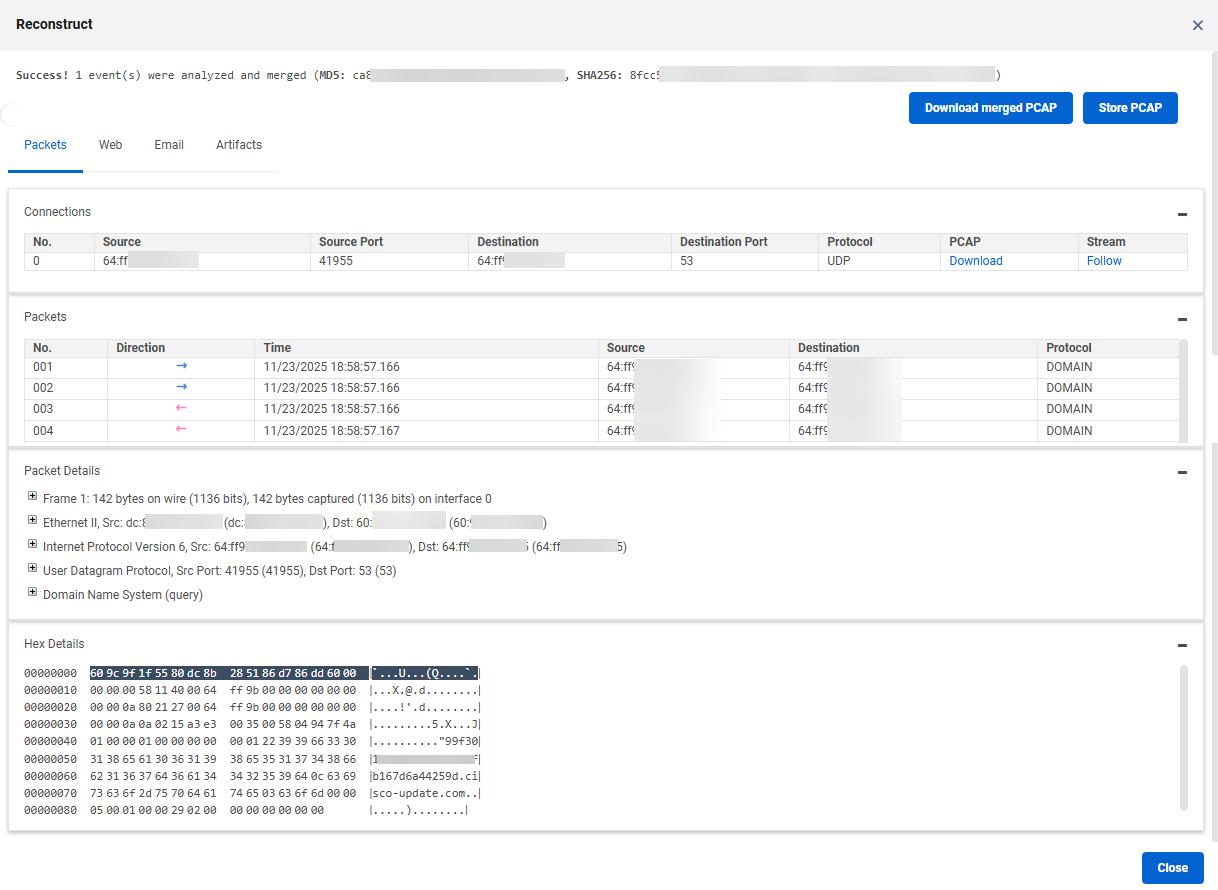
You can perform the following actions in the Reconstruct page based on your requirement:
Tab
Actions to be performed
Packet
Inspect reconstructed event packet data
Select an event from the Connections list to view all the packets associated with that event.
Select a packet from the Packets list to inspect the associated Packet Details and Hex Details.
Download PCAP of all packets: Click the Download Merged PCAP button at the top of the page.
Download PCAP of a single event: Click the Download link under the PCAP column of the selected event in the Connections list.
View connection streams
Select the required event from the Connections list.
Click the Follow link under the Stream column.
The Stream window is displayed for the selected connection.
Click the Encode/Decode Selection button if you want to analyze and decode the data stream. For more information, see Protocol encode and decode.
Important
This feature is currently available for TCP and UDP packet parsing of both events and alerts, specifically If the corresponding JSON file contains specific protocol identifiers in the
“protocolIdentifier”field, which is 6 (for TCP) and 17 (for UDP).
Web
You can reconstruct HTML from HTTP events captured on this tab. See HTML reconstruction for more details.
Email
You can reconstruct HTTP emails from specific alerts on this tab. See Email reconstruction for more details.
Artifacts
This tab displays the artifacts found (if any)
To download all the artifacts at once, click Download All Artifacts button.
To download specific artifacts, select them and click Download Selected Artifacts.
Important
These buttons are enabled if there is at least one artifact available.