Upgrading your NDR Console appliance using the Web UI
Print
Copy page Copy as Markdown for LLMs View as Markdown View the page as plain text
Open in ChatGPT Ask ChatGPT about this page Open in Claude Ask Claude about this page Prev Next Use the Software Update page from the CONFIGURATION menu to upload the latest NDR software image and select the NDR appliances you want to upgrade.
To upgrade your NDR software through the Web UI:
Click CONFIGURATION , select Software Update .
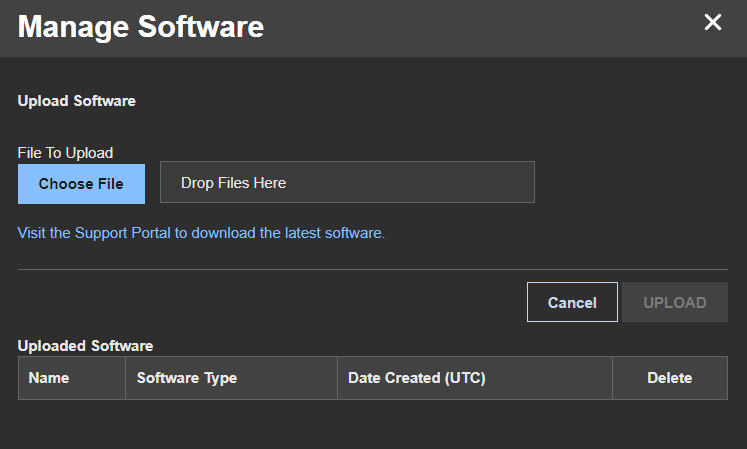
Click the MANAGE SOFTWARE button to open the Upload Software window.
Click CHOOSE FILE to upload the .fe software image file you downloaded from Trellix Customer Support.
Click UPLOAD to upload the software image to your NDR appliance.
Click All Appliances . In the list of connected NDR appliances, select the appliances you want to upgrade.
Click SOFTWARE UPDATE to open the software update window.
Click the NDR Software field drop-down menu and select the NDR software image you uploaded in step 4 and step 5.
Click Update to upgrade your selected NDR appliances with the latest software image.
Was this article helpful?
Related articles


 and from CONFIGURATION, select Software Update.