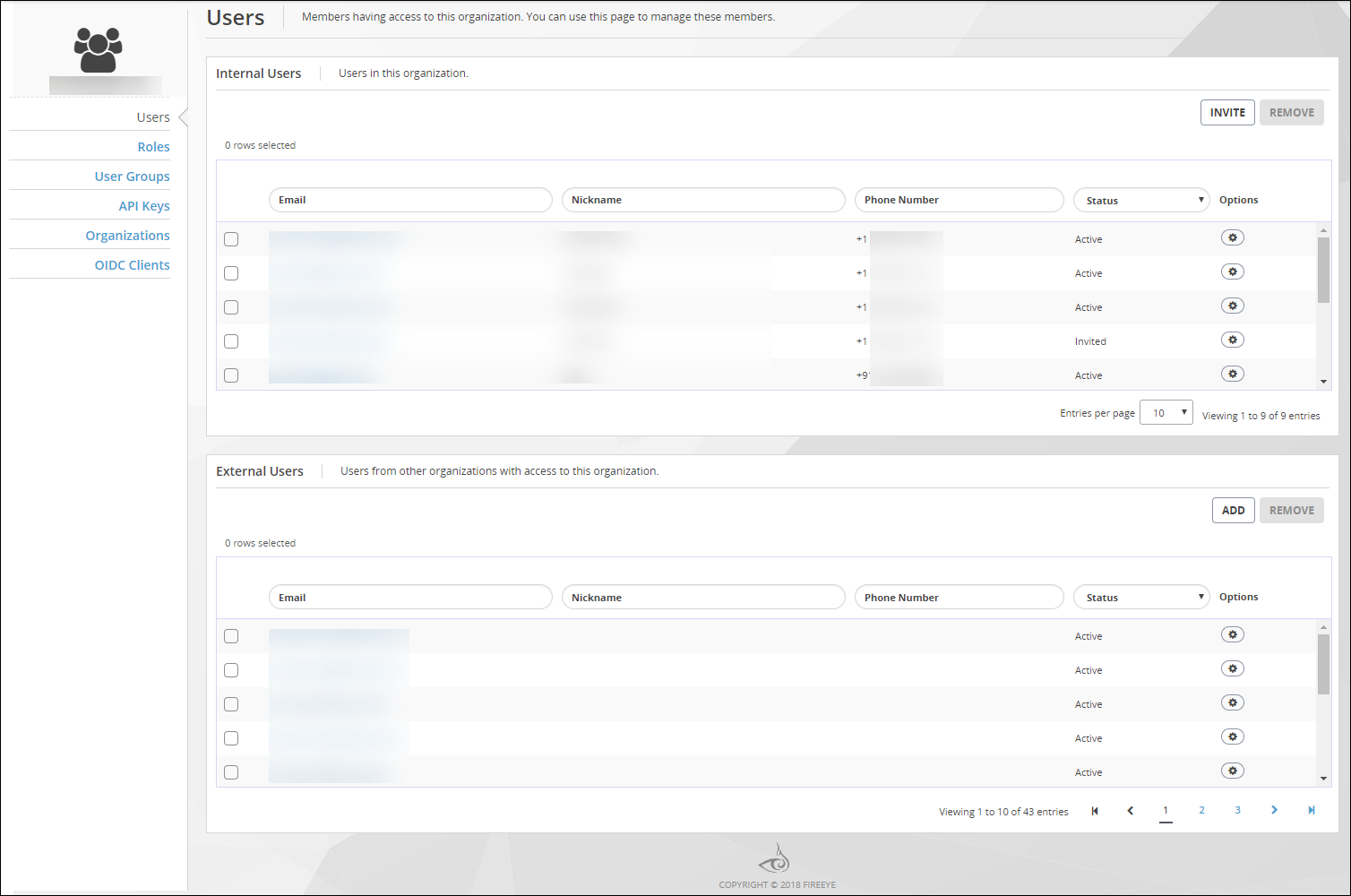
To view the lists of user accounts in your Trellix IAM organization, use the Users page. The main view of the Users page lists internal users and external users separately.
The following table describes the columns in the lists on the Users page:
Field
Description
Email
(Read-only) The email address used to create this account.
You can sort and filter the list on this field. Filtering is case-sensitive, and it does not match wild card characters.
Nickname
An optional nickname entered by the account user.
You can sort and filter the list on this field. Filtering is case-sensitive, and it does not match wild card characters.
Phone Number
(Read-only) A contact phone number entered by the account user.
You can sort and filter the list on this field. Filtering is case-sensitive, and it does not match wild card characters.
Internal user accounts only
Status
(Read-only) The enrollment status of the user account:
Active—The user account is defined in this IAM organization.
Inactive—The user account has been deactivated due to inactivity.
Invited—The user has been invited, but the account is not yet enrolled.
Locked—The user account is locked.
Options
Operation you can perform on the user account:
View/Edit―View or edit the role assignments for this user account.
Reset Password―Reset the password of a locked-out user.
Re-Enroll―Send the user a new enrollment link.
Disable―Disable the user account.
Enable―Enable the user account.
Remove―Remove the user account.
External user accounts only
Status
(Read-only) The enrollment status of the external user account:
Active—The user has been added, and the account has enrolled.
Invited—The user has been invited, but the account is not yet enrolled.
Options
Operations you can perform on the external user account:
View/Edit―View or edit the roles assigned in this organization.
Remove―Remove from the list of external users in this organization.
Prerequisites
IAM Admin or IAM User access to the Trellix IAM Web UI.
To view the lists of user accounts:
Log in to the Trellix IAM Web UI.
Select Organization Settings > Users.
The Users page lists all Trellix IAM user accounts known to your IAM organization.
The Internal Users panel lists user accounts that are defined in your organization. The External Users panel lists user accounts that are defined in other organizations but which the organization administrator has added and assigned roles.
(Optional) Sort and filter the list on the Email field, the Nickname, field, or the Phone Number field.
Network Security (NX) > Common Security Platform Product Docs > System Security Guide Release 2026.1 > IAM > Managing your own Trellix IAM user account