The Phishing simulator module allows you to see a high level overview of campaigns and simulations, create and manage phishing simulations, manage email templates, and landing pages used for simulations and training. Select an item from the Phishing simulator menu in the top navigation bar.
The Phishing simulator feature uses generative AI as a foundational building block. This advanced technology enables the simulation of realistic phishing and social engineering attacks, forming an effective training tool to educate users about potential threats. By using generative AI, you can create diverse and adaptive scenarios, enabling users to be well-prepared to recognize and respond to phishing attempts.
Important
The Phishing Simulator is available as an add-on feature. A trial version is enabled for all customers, with a limit of five users per campaign.
While creating a campaign, the Upload CSV and Import Users options will be disabled in the default version. You need to buy a license to remove the limitations.
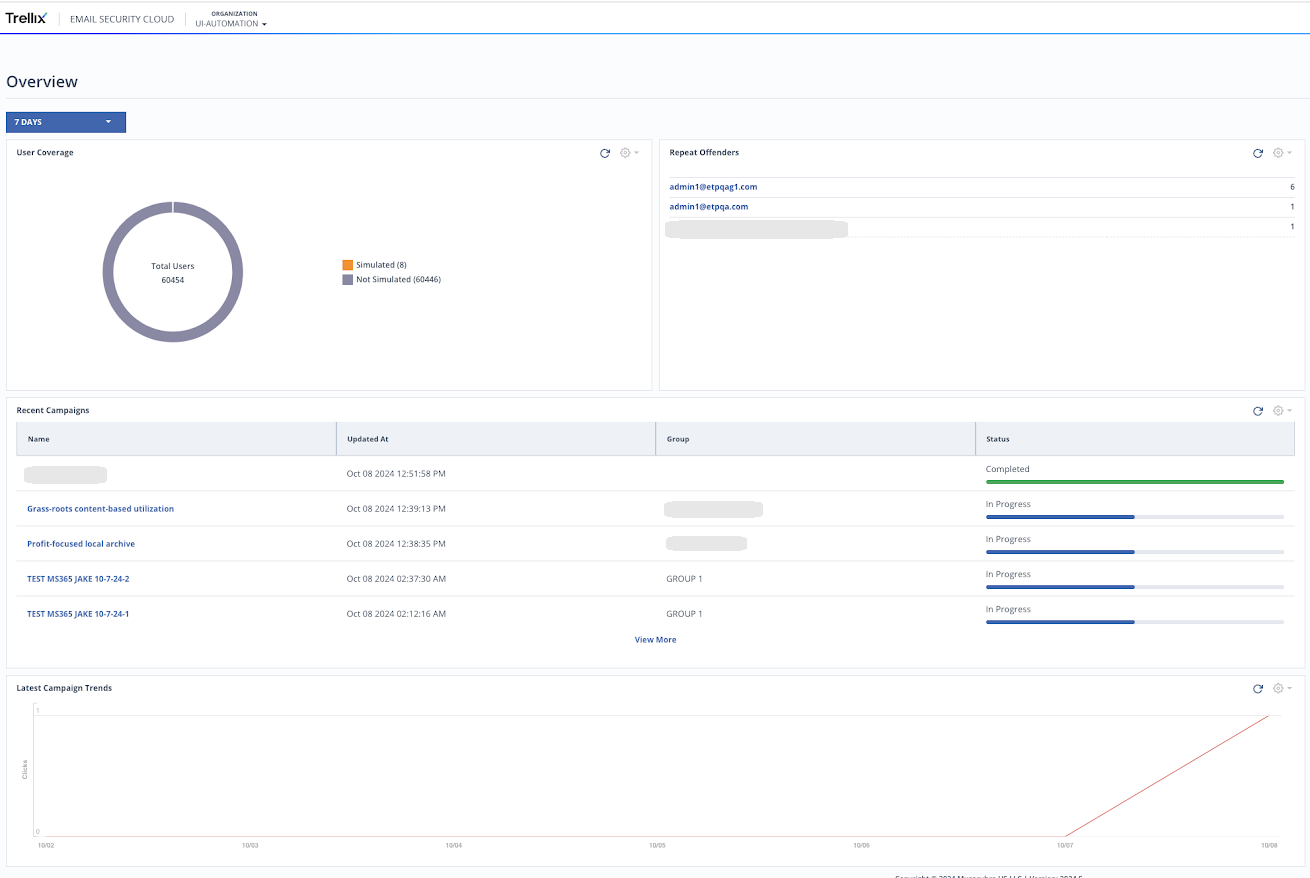
The Overview page displays a chart of simulated users, a list of repeat offenders, a list of last 5 campaigns (click View More to view all the campaigns) and a graph of campaign trends.
The Campaign page displays a detailed list of campaigns. You can use the campaigns with your user base to train and educate them about phishing activities. You can also create new campaigns and edit existing ones.
The Templates page displays a detailed list of templates. Build and reuse various templates to include in your email campaigns. Use advanced AI capabilities for insightful content of pre-made phishing templates. Alternatively, you can also build new templates from scratch.
The Education page displays a detailed list of education articles which you can create and reuse in your educational campaigns against phishing tactics.
Overview
The Overview page shows the following information:
User coverage: Shows the number of simulated and non-simulated users.
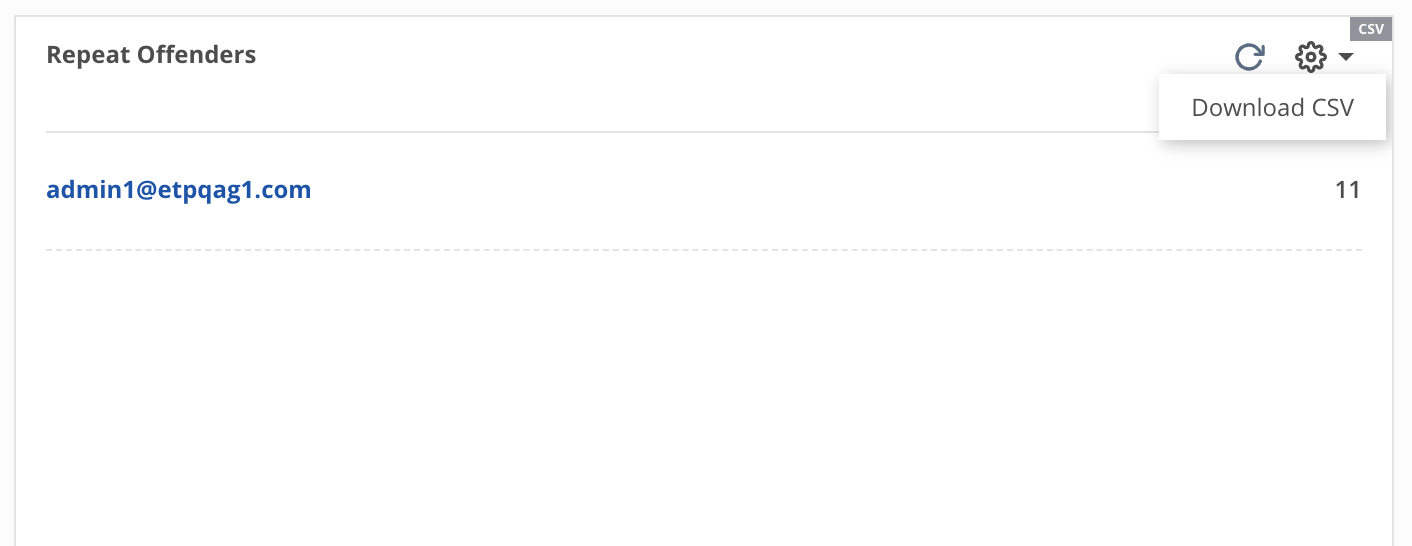
Repeat offenders: Shows the top 9 users who have clicked phishing simulation emails the most times across all campaigns. Click View More to view user details. Click on a user name to see individual click rates.
You can also download a list of repeat offenders in CSV format.
Recent Campaigns: Lists all the active and completed phishing education campaigns.
Latest campaign trends: Shows the clicks over time for the last run campaign. Provides insight into how effective or not the campaign was.