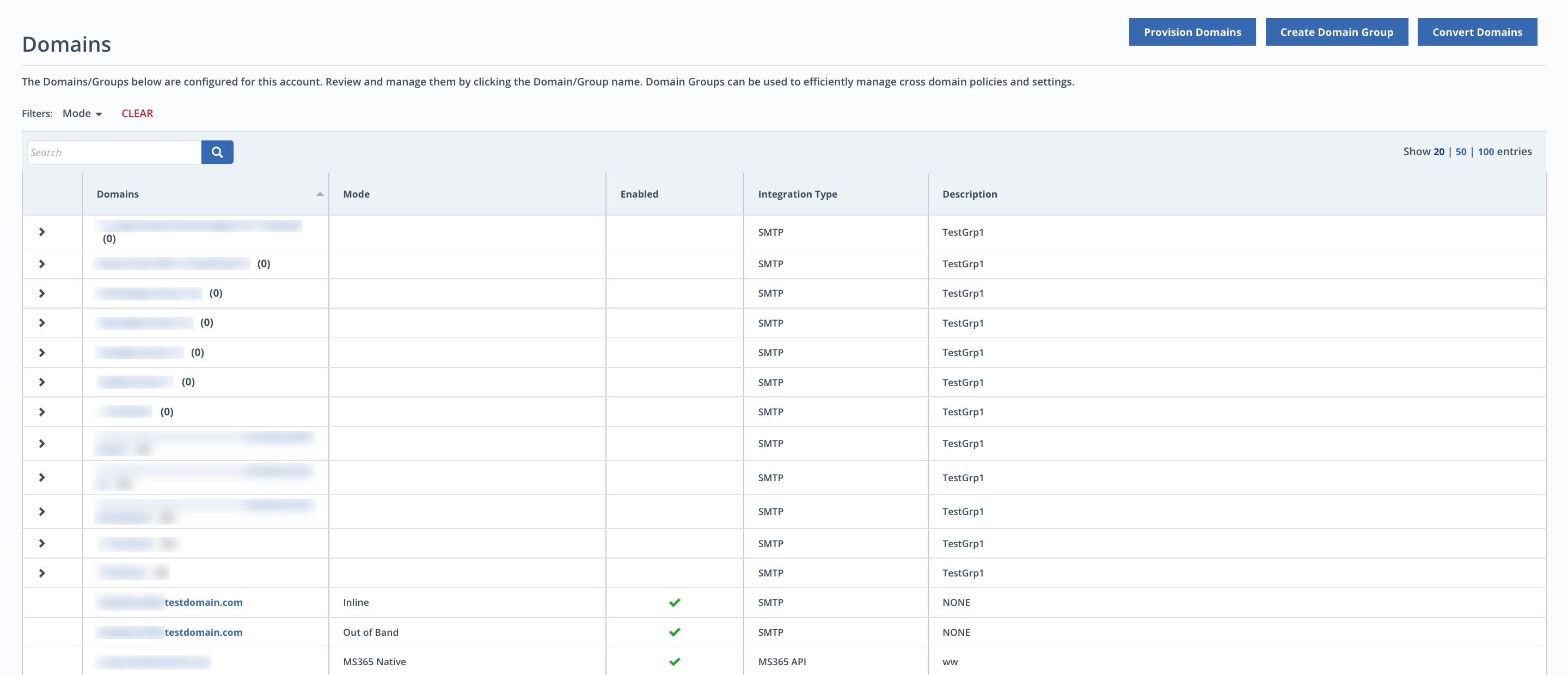
The Domains page provides an overview of the domains and domain groups that are being monitored by the system. Use the Domains page to associate policies and quarantine reports settings with those domains.
To access the Domains page:
Select Domains from the Configuration menu in the top navigation bar.
Information displayed includes the following:
Domains being monitored
Domain groups with associated domains . Click the
 icon to expand the domain group's list of domains.
The monitoring mode configured for the domain (Inline with Hygiene, Inline, or Out of Band)
Whether the domain is currently enabled or disabled for monitoring
Description, which includes an IP address
To view or change a domain or domain group's settings:
Click on the name of the domain you want to configure in the Domains page.
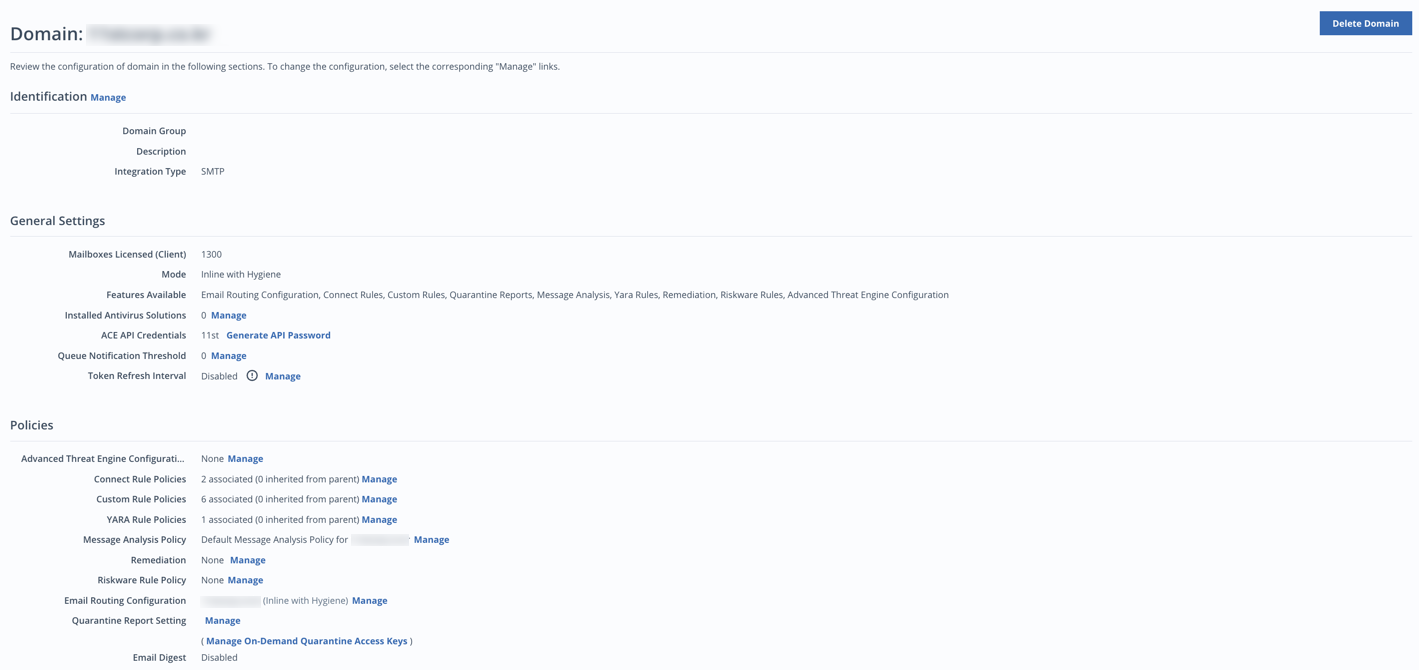
On the Domain settings page, you can configure the following:
Domain rule policies
Push notification settings
To change other options, contact Trellix Support.